Focus session app: how to build a routine that sticks
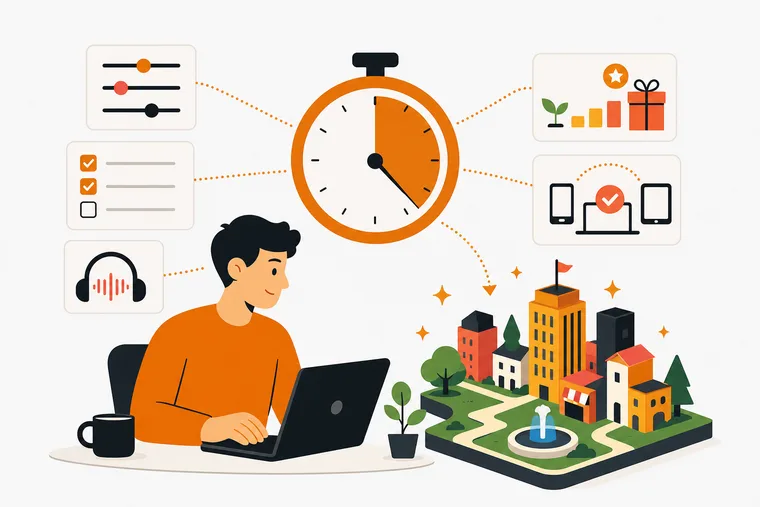
A focus session app has to do two things: remove friction when you sit down, and give you a reason to come back tomorrow. Most manage one or the other.
This article is about the second part. Not which app to install, that is covered in how to choose a deep work app, but how to build a routine that survives the week you get sick, travel or simply don't feel like it.
Why most focus routines fall apart
The routine is rarely the problem. People set up a timer, block distractions and feel productive for a week. Then they miss a day, the streak breaks, and the whole system quietly disappears.
Two things usually cause that.
The feedback is abstract. A streak counter and a points total measure attendance, not work. When the number resets, the only thing it tells you is that you failed, which is a strange reward for having been ill.
The tool adds friction. You open the app to log a task and end up grooming the tool instead of working. Every setting you have to reconfigure before starting is a chance to not start.
A routine that lasts needs the opposite: a reward tied to real output, and a system that does not punish a quiet week.
The five habits that keep a routine alive
Start with three things, not ten. Write down what you want finished today before you open a timer. Three forces you to choose. Ten is a wish list you can fail at.
Start the timer before the task, not after. The session is a commitment device, not a stopwatch. Beginning the clock is the decision to begin.
Protect the first session of the day. Keep it short and finish it. One completed block early makes the second easier to start, and a day that begins with a finished thing rarely collapses.
Look at the reward. Whatever your app shows you at the end of a session, spend two seconds on it. A tree, a checked box, a building placed. The pause is what ties the effort to something that felt worth it.
Design for the missed day in advance. Decide now what happens when you skip. The answer should be "nothing, I start again tomorrow". If your system's answer is "you lose your progress", either change the setting or change the system, because you will miss a day.
Picking your session length
Twenty-five minutes is a default, not a rule.
- 25 on, 5 off fits work with clear steps: tickets, emails, reading, admin. The break comes before you get tired.
- 45 to 90 minutes fits work with a long ramp-up, like writing or debugging, where a break at minute 25 costs more than it gives.
- Task-bound sessions fit work you can't estimate. The timer runs until the task is done, so you are not stopping a good run because a clock said so.
Most people need all three in a week. An app that makes you reconfigure to switch between them will get used for one of them.
What the app has to get right
Four things, in order of how often they break a routine.
Friction at the start. From opening the app to a running timer should be a couple of taps, with no setup ritual in between.
The task and the timer in one place. If you check the list in one app and start the clock in another, you interrupt yourself twice before you begin.
Sound that doesn't demand attention. One looping rain track gets old in a week. A few scenes and a mixer you can tune give you enough variety without turning audio into a hobby.
A record you can look at. Completion rates, best days, session history. Attendance streaks tell you how often you opened an app. A record of finished work tells you whether the habit is doing anything.
How Dovilo handles the focus session loop
Dovilo puts the task list, the focus timer and the reward in the same app. Every finished task and every completed focus session earns bricks. You spend bricks in the Build Market on houses, offices, parks, roads and decorations, and place them on an isometric grid.
The city grows from output, not attendance. Nothing decays, and no streak punishes you for a quiet week. Miss three days and the city is exactly where you left it.
Timer modes
Three modes: a single session of any length, a Pomodoro cycle of 25 minutes on and 5 off with a longer break every 4 rounds, and a session tied to one task.
A short breathing exercise and a countdown ease you in. The timer keeps running in the background and with the phone locked, and Do Not Disturb can silence other apps for the length of the session. Only completed Pomodoro rounds count toward the daily counter, so ending early doesn't inflate the number.
Ambience
The Default scene is free and silent. The Focus Ambience Pack adds five full-screen scenes: Rainy City, Midnight, Dusk, Snow and Fog, each with its own weather, skyline tint and sound.
The sound mixer blends up to 3 of 12 layers at once, with a level for each: rain, fireplace, forest, waves, café, library, train, thunder, brown, pink and white noise. The mix can follow the session, opening softly in the first 5 minutes and brightening in the last 2, and the scene switches to Dusk on its own when a break starts.
It is ambience, not music. No melody, no beat.
Tasks
Due dates, repeats, reminders, priorities, stars and flags. One view picker covers My Day, Important, Planned, Flagged, all tasks and your own lists, each with a live count. It is not a project management tool. It covers what a solo worker or a student needs to plan a day.
What you get for free
On iOS and Android, the free tier includes unlimited tasks, categories and focus sessions, a starter city, basic statistics, dark and light themes, five languages and offline-first storage. No ads, on any tier.
Pro is $2.49/month, $19.99/year or $49.99 lifetime, with a 7-day free trial started in the app. Cancel before day 7 and nothing is charged. It adds cloud sync, advanced statistics, the Focus Ambience Pack and the Full City Package (each $4.99 on its own), and Dovilo Desktop for Windows and macOS.
If you run AI coding agents, Desktop also serves them a separate task list over a local MCP server, on a monthly quota, without ever exposing your personal list. That is covered in the MCP setup guide.
What Dovilo doesn't do yet
- No data export. On the public roadmap.
- It is not a blocker. Do Not Disturb silences other apps during a session, but nothing stops you from opening them. If phone access is your main problem, pair it with a blocker.
- Desktop requires Pro. The mobile apps work fully without it.
A weekly routine to try
This works in any focus app.
- Sunday evening: write the three to five outcomes that matter this week. Outcomes, not tasks.
- Each morning: pull one or two of them into today, and nothing else.
- Each session: start the timer first, then open the work.
- Each evening: mark what finished. Don't roll unfinished items forward automatically. Decide whether they still matter.
- Friday: look at what you actually finished and what kept moving. That pattern is worth more than any productivity framework.
The app is the container. The routine is yours.
Frequently asked questions
What is a focus session app? An app that structures work into timed blocks, usually a Pomodoro cycle or a custom timer. The useful ones pair the timer with a task list, so you go from deciding to working without switching tools.
I missed three days. Do I start over? No. Starting over is a rule some apps invented, not a fact about habits. Pick the next session and run it. In Dovilo there is nothing to restart: the city doesn't decay when you stop.
How many focus sessions a day is realistic? Most people sustain three to five blocks of genuine concentration, not eight. If you are planning a full day of them, you are planning a day you will abandon by Wednesday.
Is it better to work in the morning or the evening? Whichever you can protect. A 7am block that gets cancelled by a meeting twice a week is worse than a 9pm block nobody schedules over.
What's the difference between a Pomodoro and a task-bound session? A Pomodoro runs a fixed cycle regardless of the work. A task-bound session ties the timer to one task and ends when that task does, which suits work that doesn't fit neat 25-minute blocks.
Does Dovilo work offline? Yes. Tasks, focus sessions and city progress are stored on the device and work without a connection. Cloud sync across devices is a Pro feature.
Is the free tier enough to build a routine? Yes. Tasks, categories and focus sessions are unlimited and there are no ads. Pro adds sync, advanced statistics, the two content packs and the desktop app.
The hardest part of a focus routine isn't the system. It's showing up on the days the system feels like extra work. An app that rewards finished work, stays out of the way and keeps what you built makes that easier.
Start small, keep the list to three, and let the work accumulate. Dovilo is free on the App Store and Google Play.