
Productivity, gamified Agent-ready · MCP

Dovilo: Focus, Build & To-Do

Turn your tasks into a thriving city. Stay focused, get rewarded, and watch your productivity skyline rise.

Launching May 18 — Be the first to know

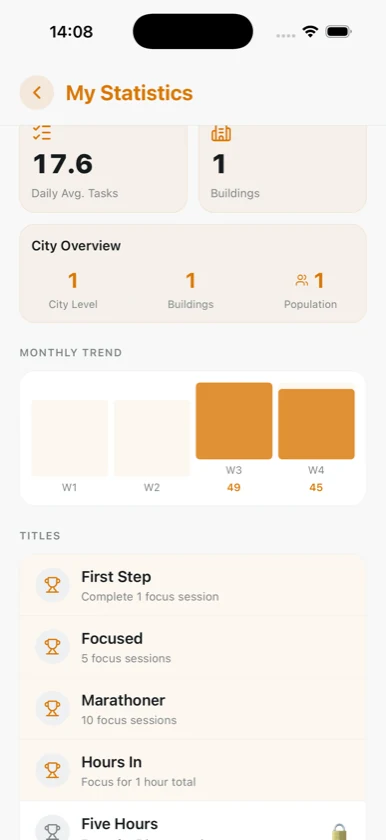
Dovilo statistics dashboard with completion rate and monthly trend
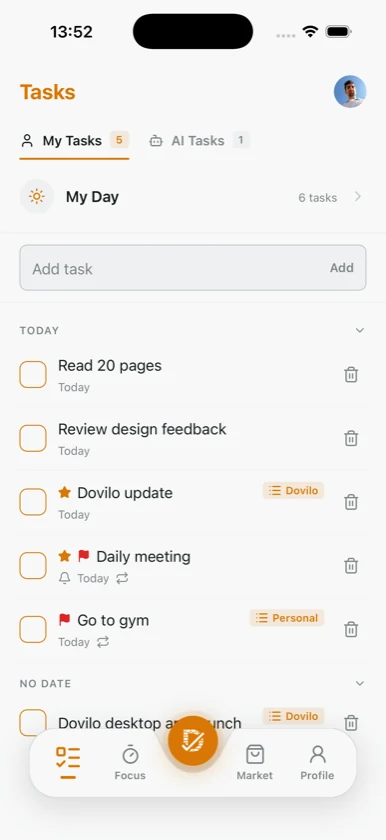
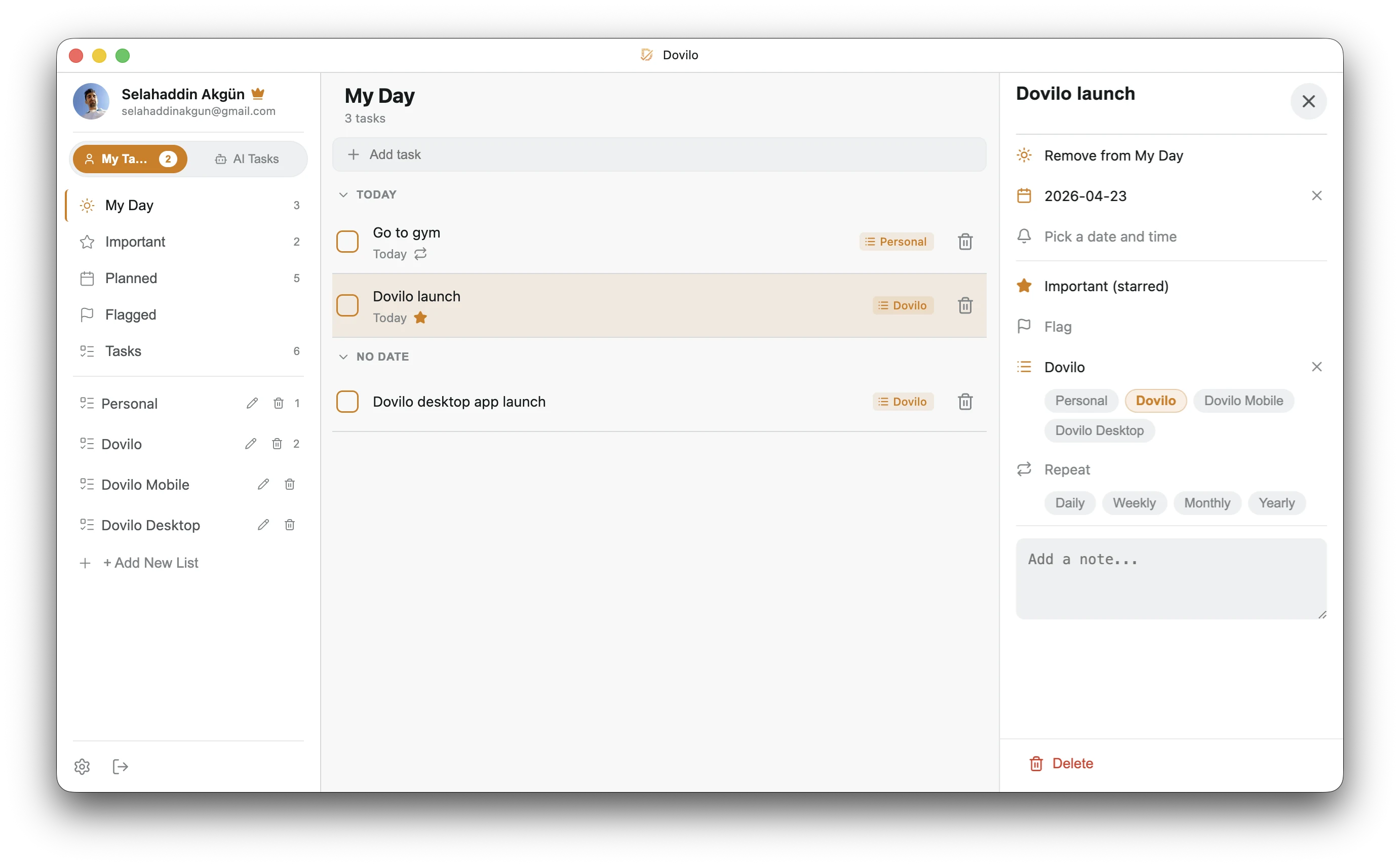
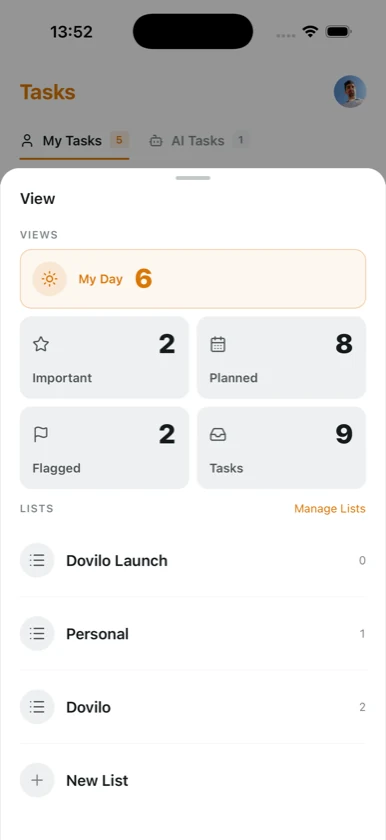
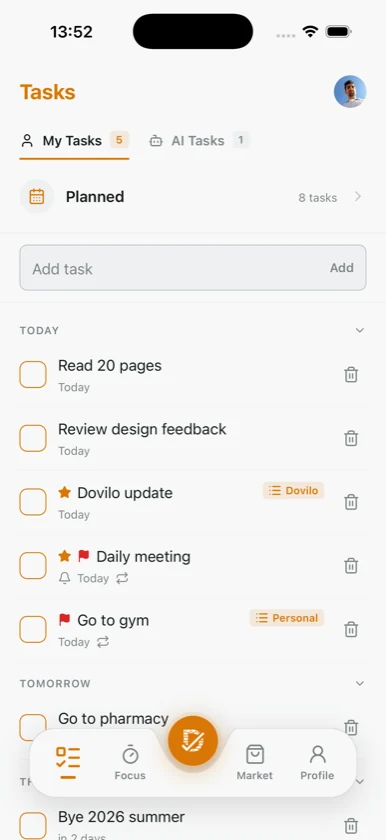
Dovilo My Day task list with today's tasks
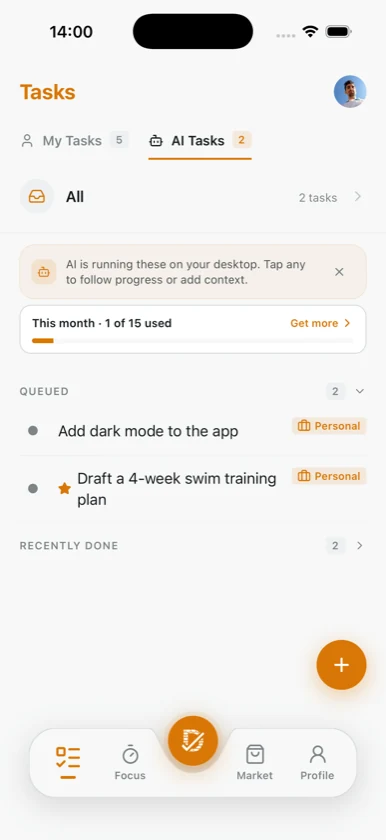
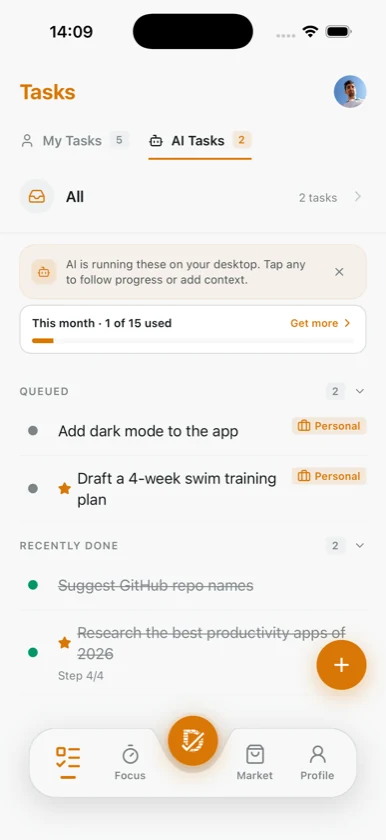
Dovilo mobile AI Tasks — follow agent progress from your phone
Dovilo planned tasks grouped by day
Dovilo isometric city built from completed tasks

Everything you need, nothing you don't

Smart Tasks

Organize with due dates, priorities, and categories. Your to-do list, finally under control.

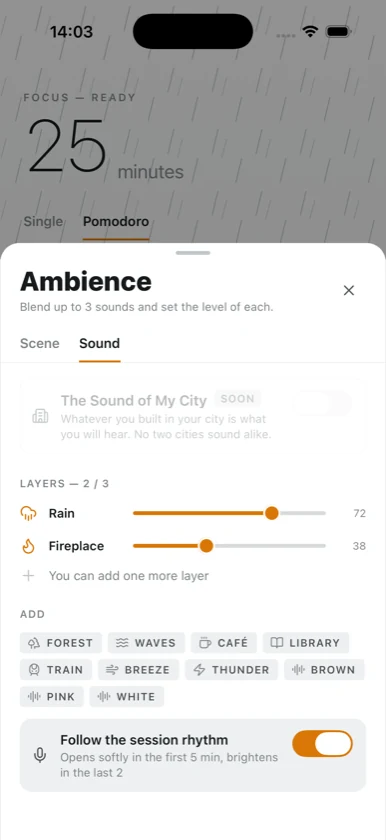
Focus Timer

Pomodoro-style deep work sessions. Lock in, earn rewards, and build momentum.

City Builder

Every task completed adds to your isometric city. Productivity becomes tangible progress.

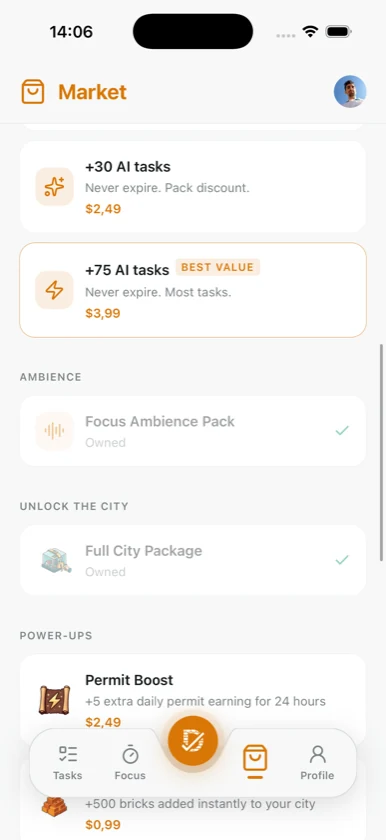
Reward Market

Spend earned coins on buildings, decorations, and upgrades for your growing town.

Track Progress

Completion rate, best days, streaks, and monthly trends. See what's working and double down on it.

Dark & Light

Beautiful themes that adapt to your preference. Easy on the eyes, day or night.

5 Languages

Available in English, Turkish, Spanish, French, and German. Your language, your way.

Agent-Ready (MCP)

Built-in MCP server on Desktop. Connect Claude Code, Cursor, Claude Desktop, Windsurf, Codex CLI, or Gemini CLI in one click and let them run your tasks step-by-step.

Your tasks, now agent-native

Dovilo Desktop ships with a built-in MCP (Model Context Protocol) server. Connect Claude Code, Cursor, Claude Desktop, Windsurf, Codex CLI, or Gemini CLI in one click and let your agent run tasks step-by-step — while you stay in full control.

  • Local-first, no cloud — the MCP server runs on your machine. Zero external data leaves Dovilo.
  • One-click connect — open Settings → AI → Connect AI, pick your IDE, and Dovilo writes the snippet for you. Nothing extra to install.
  • Per-project scope & brief — assign tasks to a project and write a brief; agents only see what you allow.
  • Step-level progress & dry-run — agents stream status in real time and can plan first, then wait for your approval before executing.
  • Notes & telemetry on mobile — read every note an agent leaves and see how long, how many tokens, and how much each task cost — from your phone.
Works with Claude Code Claude Desktop Cursor Cursor CLI Windsurf Codex CLI Gemini CLI Any MCP client
claude_desktop_config.json
// Auto-written by Settings → AI → Connect AI. { "mcpServers": { "Dovilo": { "command": "<dovilo-bridge-path>", "args": [], "env": { "DOVILO_API_KEY": "<api-key>" } } } }
list_tasks get_task read_context update_status update_step add_step skip_step append_note append_telemetry

Your productivity, on every screen

From your pocket to your desk — Dovilo stays in sync. Plan on mobile, run AI agents on desktop, build your city from anywhere.

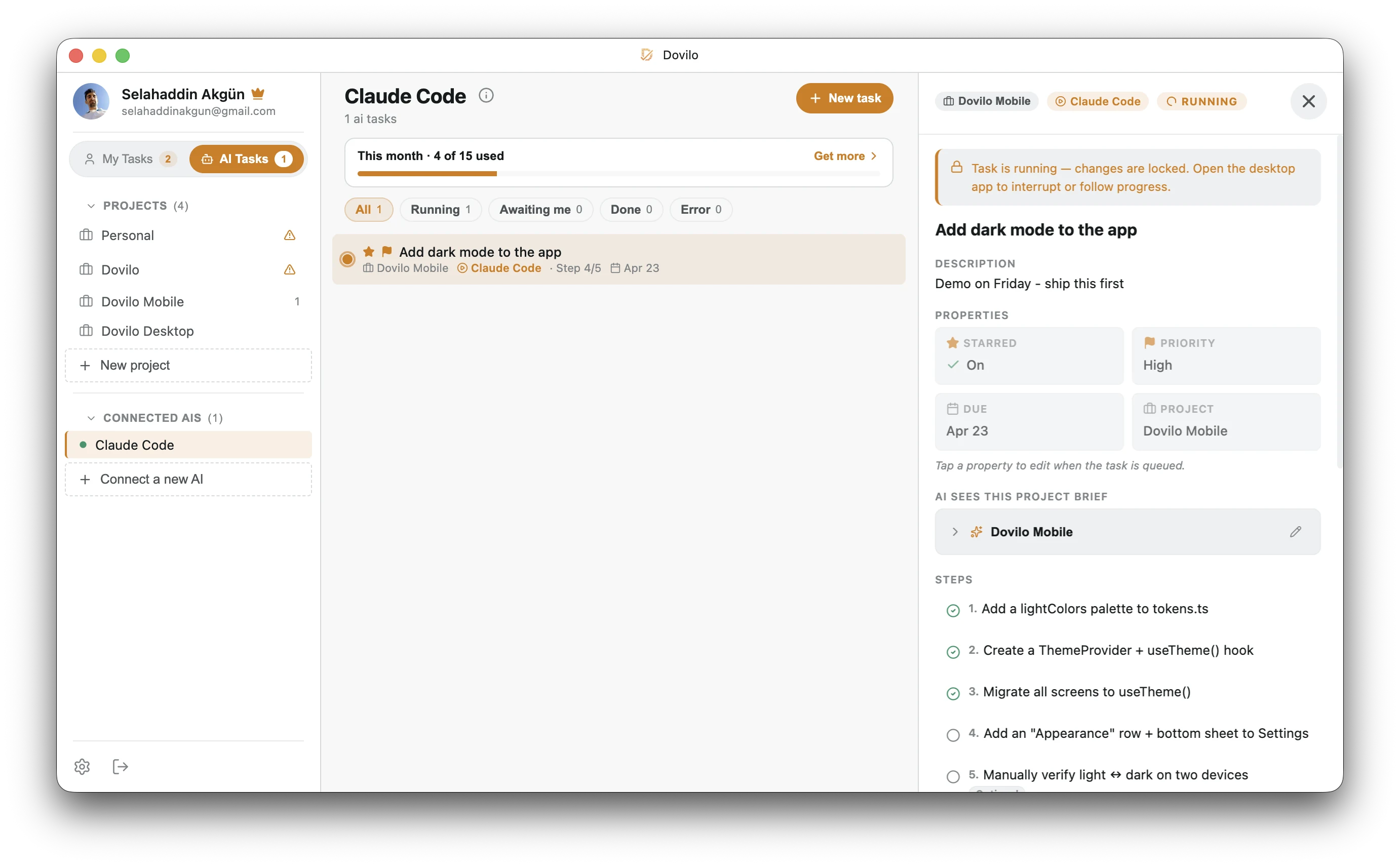
AI · Desktop Watch Claude Code execute a multi-step task — step-by-step progress, agent notes, and full control.

Dovilo desktop app — AI Tasks view showing Claude Code running a multi-step task with progress steps and agent notes

Classic · Desktop Your daily command center — My Day, lists, priorities, and detail panel.

Dovilo desktop app — My Day task list with a selected task detail panel showing due date, list and reminder options
Plan
Dovilo planned tasks grouped by day
Focus
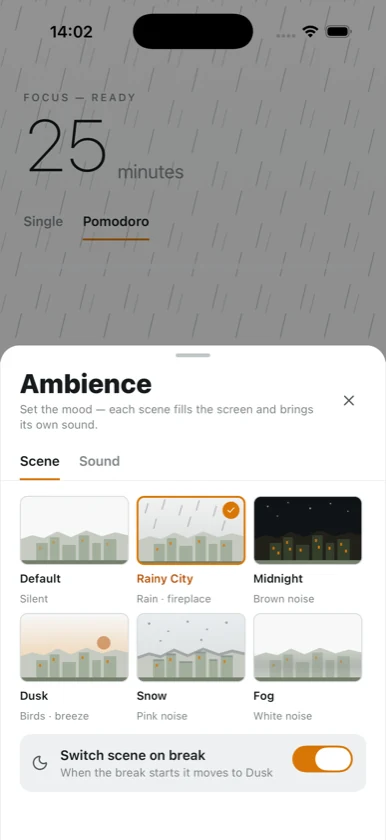
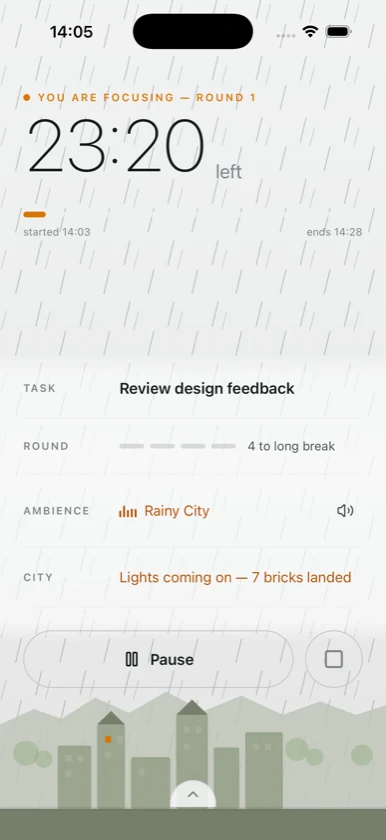
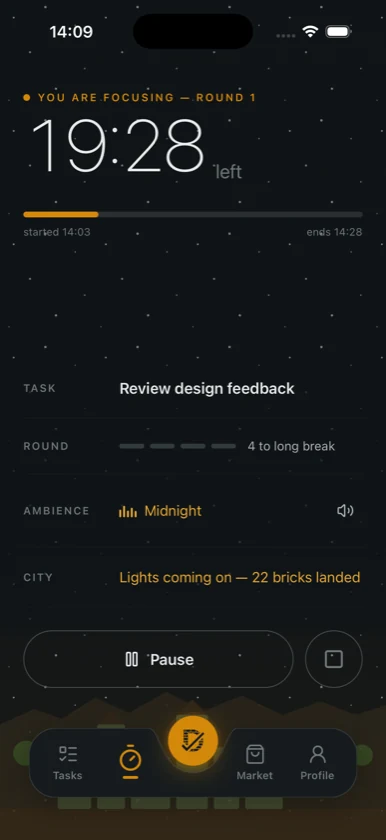
Dovilo focus timer with active Pomodoro session
Build
Dovilo isometric city built from completed tasks
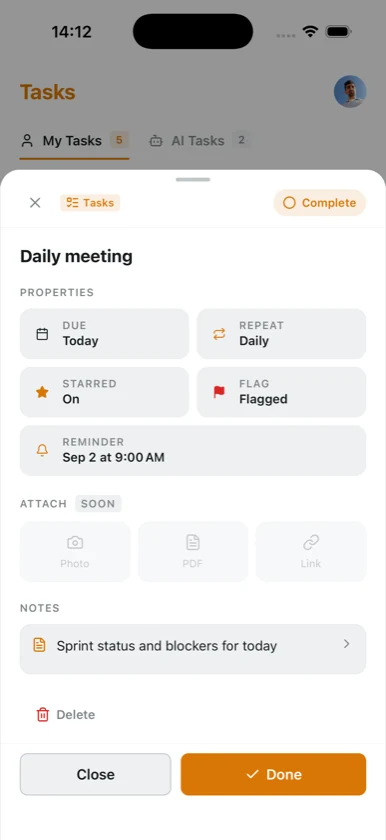
Today
Dovilo My Day task list
Track
Dovilo statistics dashboard
AI
Dovilo mobile AI Tasks view — follow agent progress from your phone
4
Core pillars
5
Languages
2
Themes
Buildings to unlock

Unlock the full experience

Free $0

  • Full to-do management
  • Due dates, stars & priorities
  • Unlimited focus sessions
  • Basic city with starter buildings
  • Basic statistics
  • Dark & light themes
  • Offline-first, always works
  • No ads

Pro Everything in Free, plus

  • No ads, ever
  • Unlimited tasks & categories
  • Cloud sync across devices
  • Desktop app (Windows & Mac)
  • MCP server & AI agent integration (Claude Code, Cursor, Claude Desktop, Windsurf, Codex CLI, Gemini CLI)
  • Smart notification management
  • Advanced focus interface
  • All buildings & decorations & upgrades
  • Advanced statistics
  • Custom themes
  • Priority support
  • All future updates included
Monthly
$2.49 /month

Cancel anytime

Lifetime
$49.99

One-time payment, forever yours

Common questions

What is Dovilo?

Dovilo is a gamified productivity app that combines a to-do list, a Pomodoro-style focus timer, and an isometric city builder. Complete your tasks and focus sessions to earn bricks, then build houses, offices, parks, and more in your own virtual city.

Is Dovilo free?

Yes! The free tier includes full to-do management, unlimited focus sessions, basic city building, dark & light themes, and zero ads. Pro unlocks cloud sync, all buildings, advanced statistics, and more.

Does Dovilo work offline?

Yes! Dovilo is offline-first. All your tasks, focus sessions, and city progress are stored locally on your device. Cloud sync is an optional Pro feature for keeping data across multiple devices.

Does Dovilo have ads?

No. Dovilo is completely ad-free, both in the free tier and in Pro. We believe ads break focus, which is the opposite of what a productivity app should do.

What is Dovilo's MCP integration?

Dovilo Desktop (Pro) ships with a built-in Model Context Protocol server that runs locally on your machine. Open Settings → AI → Connect AI, pick your IDE, and any MCP client — Claude Code, Cursor, Claude Desktop, Windsurf, Codex CLI, Gemini CLI — can list and read your tasks, run them step-by-step, update status, leave notes, and report telemetry. Agents can only read and update; they cannot create tasks, and you control exactly which projects they see via a per-project scope and brief.

How do I connect Claude Code, Cursor, or another AI agent?

Open Dovilo Desktop → Settings → AI → Connect AI, choose your IDE, and copy the generated snippet. Claude Desktop is auto-wired in one click — just restart it. Claude Code, Cursor CLI, Codex CLI, and Gemini CLI get a single mcp add command. Cursor (GUI), Windsurf, and any custom MCP client get a JSON snippet to paste into their config. You control notification granularity (every step, or just start / finish / error).

How do I cancel my subscription?

Subscriptions are managed through the Apple App Store or Google Play Store. To cancel, go to your device's subscription settings. You'll retain Pro access until the end of your current billing period.

Get Dovilo on your device

Launching May 18 — Get notified when we go live

Available on iOS, Android, Windows & Mac. Free to start.

Desktop App Pro

Requires an active Pro subscription

What is Dovilo?

Dovilo is a gamified to-do list and productivity app that transforms your daily tasks into an isometric city builder. Unlike traditional task managers, Dovilo rewards your productivity — every completed task and focus session earns coins that you can spend on buildings, decorations, and upgrades for your virtual city.

Four Pillars, One App

Dovilo brings together a full-featured to-do list, a Pomodoro-style focus timer, an isometric city builder, and an MCP-based AI agent layer into one seamless experience. Most productivity tools stop at checklists — Dovilo goes further by turning your progress into a growing city skyline and letting AI agents like Claude Code, Cursor, Windsurf, Codex CLI, and Gemini CLI pick up tasks on your desktop.

Key Features

Built for AI Agents

Dovilo is the first agent-native gamified task manager. The desktop app exposes nine MCP tools — list_tasks, get_task, read_context, update_status, update_step, add_step, skip_step, append_note, and append_telemetry — so your AI coding agent can pick up a task, read project context and the project brief, execute step-by-step, and report back with notes plus model/token/cost telemetry. Agents can only read and update; they cannot create tasks, keeping you firmly in control of your workflow.

Who is Dovilo for?

Dovilo is perfect for students who need a fun study companion, professionals who want to gamify their workflow, freelancers managing multiple projects, developers who already run Claude Code, Cursor, Windsurf, Codex CLI, or Gemini CLI and want agent-driven task progress, and anyone who struggles with procrastination or staying focused. If you've been looking for a productivity app that feels rewarding rather than repetitive — and that plays nicely with AI agents — Dovilo is designed for you.

Pricing

Dovilo is free to download and use. The free tier includes full task management, unlimited focus sessions, basic city building, and zero ads. Dovilo Pro unlocks cloud sync, desktop app access (Windows & Mac), all buildings and decorations, advanced statistics, custom themes, and priority support — available as Monthly ($2.49), Yearly ($19.99, best value), or Lifetime ($49.99).

Download

Dovilo is available on the Apple App Store for iPhone and iPad, on Google Play for Android devices, and as a desktop app for Windows and Mac (Pro subscription required). Download for free on mobile and start building your productivity city today.