AI agent task management: how coding agents use to-dos
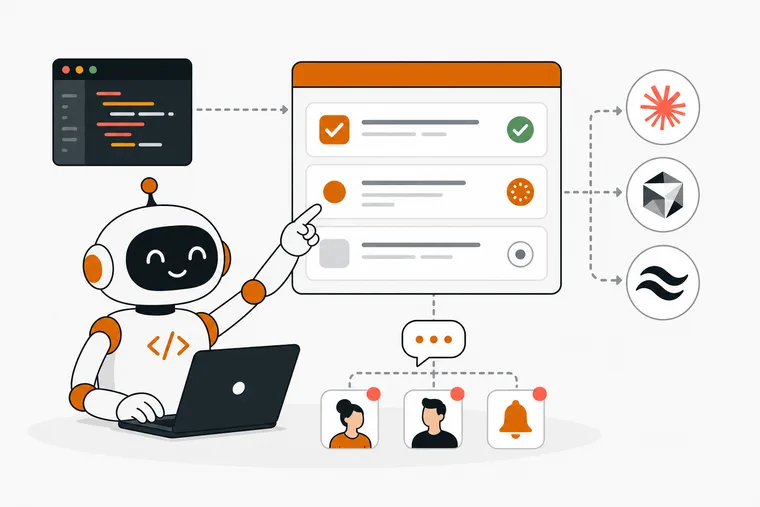
AI agent task management means giving your coding agent a structured list of work to pull from, so it can pick up a task, run it and report back without you copying context from a to-do list into a chat window. If you use Claude Code, Cursor or Windsurf, you know the friction: you keep a task list somewhere, and your agent knows nothing about it.
This article is about what makes a to-do list usable by an agent at all, what the current tools do about it, and how Dovilo handles it. If you want the setup steps instead, they are in the MCP setup guide.
I built this layer because I wanted my own coding agent to work a real task list instead of a scratch file. One engineer, in Istanbul.
Why standard to-do apps break agent workflows
Most task managers are built for a human reading a list. They store text, maybe a due date, maybe a priority. That is enough when you are the one deciding what happens next.
An agent needs a surface it can query. It needs to signal that it has started, record what it did, say when it is stuck and mark the work finished. Most to-do apps have none of that, even the good ones.
So the workflow becomes manual relay. You write a task in one app, paste the description into a terminal, watch the agent work, then go back and tick the box yourself. Every step breaks focus, and by the third session you are also re-explaining what was already done.
What an agent-ready task list actually needs
Five things, at minimum.
Programmatic read access. The agent has to list tasks and read their details without a browser, through an API or a local protocol its runtime can speak.
Real statuses, not a checkbox. Done and not done isn't enough. Running, finished, failed and waiting on a human are all different states, and the next session needs to tell them apart.
A step trail. When a session dies halfway through, the difference between "task is running" and "task is running, steps 1 to 3 finished, step 4 started" is the difference between resuming and starting over.
Isolation from your personal list. The agent should see the work you assigned it and nothing else. Not your groceries, not your private notes, not the other project.
A way to hand work back. When the agent finishes or gets stuck, you should find out without watching a terminal. A status change on your phone, a webhook into Slack, something.
How the Model Context Protocol fits in
MCP is an open protocol that lets agents call external tools through a standard interface. A tool exposes a set of MCP tools, and any MCP client can call them, instead of every app building a custom integration per agent.
For task management that means an agent inside Claude Code or Cursor can list tasks, read a project brief, set a status and write notes, in the same session that is writing code.
What varies between implementations is the part that matters: which tools the server exposes, where it runs, and what the agent is allowed to do with them.
What the current tools do
Agent-connected task management is a real category now, not an idea.
- Linear and Notion both ship official MCP servers. They connect an agent to your main workspace, which is powerful for teams, and means the scope of what the agent can reach is something you set up and maintain yourself.
- Other to-do apps are adding MCP servers of their own, usually against the same list you use personally.
The structural choice is the same everywhere: does the agent work against your list, or against a list that exists only for agents? Dovilo takes the second option. Check each tool's own docs for current pricing and feature details, since those change.
Dovilo's approach: a separate list the agent works out of
Dovilo Desktop (Windows and macOS, part of Pro) runs a local MCP server. AI tasks live inside projects, and each project has a brief the agent reads first: goals, constraints, conventions and what to leave alone.
An agent is scoped to one project. It sees that project's brief and AI tasks, and nothing else. Not your other projects, and not My Tasks.
My Tasks, the personal list with My Day, Important, Planned and Flagged, is not on the MCP tool surface at all. There is no filter hiding it and no setting that could be misconfigured. The agent has no tool that reads it.
Integration details are at dovilo.app/ai.
The nine tools
Three read, six write.
| Tool | Access | What it does |
|---|---|---|
list_tasks |
read | AI tasks in the scoped project, with status |
get_task |
read | One task in full: description, steps, notes, telemetry |
read_context |
read | The project brief and the context the task carries |
update_status |
write | Moves a task between statuses |
update_step |
write | Marks a plan step started or finished |
add_step |
write | Appends a step the agent discovered |
skip_step |
write | Skips a step that turned out unnecessary |
append_note |
write | Records what it did, decided or could not do |
append_telemetry |
write | Reports model, tokens, cost and duration |
There is no create tool and no delete tool. The agent can't write the task you wrote, and it can't remove work. Creating and deleting stay with you. An agent that can create tasks will create tasks, and an agent that can delete them can lose work.
Any MCP client connects: Claude Code, Claude Desktop, Cursor, Windsurf, Codex CLI and Gemini CLI have presets, everything else uses a JSON config. Plain MCP, no lock-in.
Statuses, and the one that stops the agent
Every AI task moves through queued, running, awaiting-user, done, or failed / cancelled.
awaiting-user is the one worth designing around. When the agent hits a decision it shouldn't make on its own, a schema change, an API contract, anything with consequences, it writes a note explaining the trade-off, sets awaiting-user and stops.
Full autonomy sounds better in a headline. In practice you want the agent to run unsupervised on the parts that are decided, and to stop on the parts that aren't.
If a session ends mid-task, the task stays running with its steps and notes intact. The next session reads it with get_task and continues from the last finished step.
You can also cut it off entirely: switch MCP off in Desktop settings and connections drop immediately.
What you see while it runs
The step trail, notes and telemetry land on the task on your phone in real time while the agent runs on your desktop.
The list is grouped by what needs you: awaiting you, running, queued. Finished work moves to "Recently done" with its step count. Notifications come in two modes, every step or only start, finish and error.
Telemetry is per task and reported by the agent through append_telemetry: model, tokens, cost and duration. Over a few weeks that tells you which kinds of work are cheap and which are not, for a given model.
Where it runs, and what leaves your machine
The MCP bridge ships inside Desktop. No npx, no separate runtime. Your client starts it as a local process over stdio.
No MCP traffic goes through Dovilo, and there is no Dovilo internet endpoint in the agent's request path. The only external call is your agent talking to its own model provider.
The AI tasks themselves sync to your phone through Pro cloud sync, encrypted in transit and at rest. That is how the step trail reaches mobile while the work happens on your desktop.
Webhooks for closing the loop
Desktop can fire signed webhooks when an AI task changes: task.created and task.status_changed, which carries the previous status. They go to Slack, Linear, n8n, LangGraph or any HTTPS receiver.
The signature is an HMAC-SHA256 over the raw body with a timestamp and a 5-minute replay window, and the delivery header stays stable across retries so you can use it as an idempotency key.
Payloads are slim on purpose. The webhook tells your system a task moved, and MCP is how the agent then reads it, works it and reports back. The open-source LangGraph demo runs that loop end to end, with a walkthrough video. Full spec: dovilo.app/docs/webhooks.
What Dovilo does not do yet
Three things, named plainly.
No remote MCP. The agent runs where Desktop runs. Agents on a remote box or in CI can't reach it. On the public roadmap.
No data export. You can't export task history or agent results yet. Also on the roadmap.
MCP is desktop-only. You can write and read AI tasks on mobile, but the server runs on Windows and macOS.
If you run agents locally next to your editor, none of that gets in your way. If you run them in the cloud, remote MCP is a blocker for now.
Getting started
Dovilo is free on iOS and Android, with unlimited tasks, categories and focus sessions, offline-first storage, five languages and no ads on any tier.
The MCP server, Desktop and webhooks are part of Pro: $2.49/month, $19.99/year or $49.99 lifetime, with a 7-day free trial started in the mobile app. Cancel before day 7 and nothing is charged. AI tasks run on a monthly quota, and one-time top-up packs of +10, +30 or +75 tasks start at $0.99 and never expire.
Get the app on the App Store or Google Play, then follow the MCP setup guide. It takes about 5 minutes.
Frequently asked questions
What is AI agent task management? Giving a coding agent a structured list of tasks it can read, work and update itself, instead of pasting task descriptions into a chat window and ticking boxes by hand afterwards.
Does the agent work from my personal to-do list? No. My Tasks is not on the MCP tool surface. The agent is scoped to one project and sees that project's brief and AI tasks only.
Can the agent create or delete tasks? No. The nine tools are read and update only. The agent writes status, steps, notes and telemetry, and nothing else.
What happens if the agent gets stuck?
It sets the task to awaiting-user, writes a note explaining what it needs, and stops. The task shows up at the top of your list on mobile.
Does MCP traffic go through Dovilo's servers? No. The bridge runs locally inside Desktop over stdio, and there is no Dovilo endpoint in the agent's request path. AI tasks sync to your phone through Pro cloud sync, which is how you see progress on mobile.
Which agent clients work with it? Claude Code, Claude Desktop, Cursor, Windsurf, Codex CLI and Gemini CLI have presets. Any other MCP client connects with a JSON config.
Is the MCP server available on mobile? No. It runs in the desktop app on Windows and macOS. You can still write and follow AI tasks from your phone.
How does the quota work? AI tasks run on a monthly quota, shown in the AI Tasks view. Top-up packs start at $0.99 and never expire.
Conclusion
The gap in most agent workflows isn't the agent. It's the handoff. You have a task list and you have a coding agent, and nothing connects them, so you become the integration.
MCP closes that gap, but the details decide whether it's worth using: what the agent can reach, what it can change, and what it does when it shouldn't decide alone. A list the agent works out of, that your personal tasks are never part of, that stops instead of guessing, and that shows you the cost on your phone.
Start with the free mobile app, then add Pro when you're ready to connect your first agent.