Deep work app: how to choose one that fits how you focus
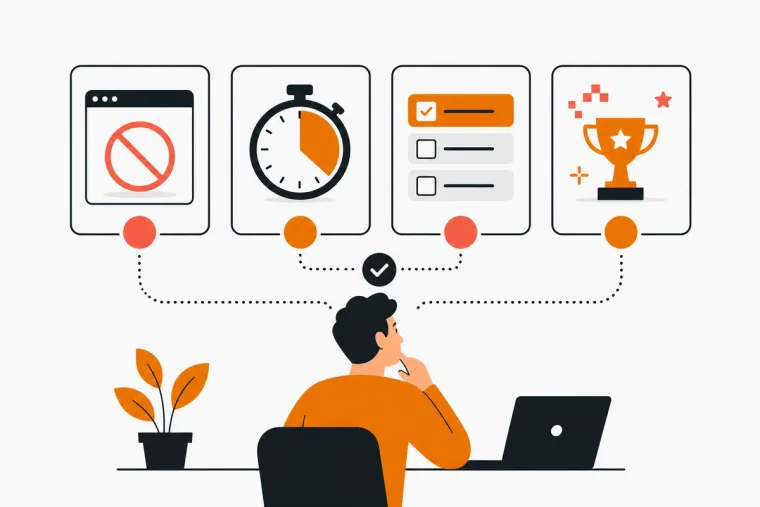
Finding a deep work app that fits your workflow is harder than it looks. The category covers blockers, timers, planners, soundscapes and gamified systems, and most lists treat them as interchangeable. They are not.
The right app depends on where your focus breaks down, how you work, and whether you want the tool to stay out of your way or keep you on track. This guide walks through what to look for, how the main types compare and which questions to ask before committing.
What deep work means for an app
Deep work means stretches of uninterrupted, cognitively demanding effort. The hard part is rarely knowing that. It is getting those stretches to happen, day after day, with a phone in reach and a list that never ends.
A deep work app is any tool built to protect, structure or reinforce focused sessions. Different apps do this in different ways:
- blocking distractions
- giving you a timer
- setting up a sound environment
- keeping a task list
- running a reward system
The useful ones combine at least two of these in a way that matches how your attention actually fails.
The four types of deep work apps
Knowing the category first makes the choice much easier.
Distraction blockers
Blockers lock you out of websites, apps or your phone during a session. They work well when the main problem is compulsive tab-switching or social media.
There is decent evidence behind the idea. In a 2025 randomized trial published in PNAS Nexus, 467 iPhone users blocked mobile internet for two weeks, and their objectively measured sustained attention improved. Only about a quarter kept the block on the whole time, and partial reductions still helped.
The limitation is that blockers are passive. They remove temptation but don't tell you what to work on or for how long. If your problem is task clarity or motivation, a blocker alone won't fix it.
Focus timers
Timers, especially Pomodoro-style ones, give sessions structure: a fixed window of work, a short break, repeat. They suit people who lose track of time, underestimate tasks or need a clear stopping point before they can start at all.
The 25-minute Pomodoro default is not sacred. Many people do better with 50-minute blocks, or with sessions tied to one task that run until that piece of work is done. A good timer lets you choose.
Task managers with focus features
Some apps combine a to-do list with a timer or scheduling. The value is context: you don't switch between a planner and a timer.
The risk is overhead. A bloated task manager can turn into its own project, and you end up organizing more than working.
Gamified focus apps
Gamification adds a reward layer to the focus loop. Finishing sessions or tasks earns something visible: a tree, XP, a building.
It suits people who struggle to start, or who find plain productivity tools sterile. It also leaves a record of effort that a plain timer doesn't. The thing to check is what happens when you miss a day. Some systems punish it, and for many people that is exactly when they quit.
How to evaluate a deep work app before committing
Most people pick a focus app by skimming a list and downloading whatever looks good. Start with your failure mode instead.
Where does your focus actually break?
- If you reach for your phone every ten minutes, a blocker addresses the root cause.
- If you sit down but can't decide what to do first, you need task structure.
- If you start tasks and abandon them halfway, a timer with visible progress helps.
- If your effort seems to disappear without a trace, you want a system that records your work and shows it back to you.
Which devices do you actually use? A mobile-only app won't help someone who spends eight hours at a desk, and the reverse is also true. Cross-device sync is worth paying for only if you really move between devices and the sync doesn't need babysitting.
How much friction can you tolerate? For some people a setup ritual signals the start of work. Others drop anything that takes more than two taps to start a session. Be honest about which one you are.
What is the privacy model? Few reviews cover this. If an app syncs your tasks and sessions to a server, that data lives somewhere. For most people that's fine. If you'd rather keep it on the device, look for an offline-first app where sync is optional.
What does it show you afterwards? A timer that only logs hours is different from a system that shows completion rates, best days and session history. The first tells you that you were busy. The second lets you see whether the habit is working.
Where the well-known options fit
These are the tools people usually compare. Features and pricing change, so check each app's own page before deciding.
- Forest grows a tree while you stay off your phone. It is a good fit if phone distraction is the main problem and you want a low-friction visual reward.
- Habitica turns habits, dailies and to-dos into an RPG, with party quests for social accountability. It suits people who are motivated by a character and a group.
- Focus To-Do pairs a Pomodoro timer with a task list, for people who want both in one simple tool.
- Endel and Noisli focus on sound environments. They suit people for whom audio is the main lever and who already have a task system elsewhere.
When a gamified city builder fits
For some people the problem with focus apps isn't missing features. It's that a finished session leaves no trace. You close the timer, the session is gone, and tomorrow feels like today.
Dovilo pays that work out into something that accumulates. Finished tasks and focus sessions earn bricks. You spend bricks in the Market on houses, offices, parks, roads and decorations, and place them on an isometric grid.
The city only grows. Nothing decays, and no streak punishes you for a quiet week. It is a record that the last months went somewhere.
Focus. There are three modes:
- a single session of any length
- a Pomodoro cycle: 25 minutes of focus, 5-minute breaks, and a longer break every 4 rounds
- a session tied to one task
A short breathing exercise eases you in. The timer keeps running with the phone locked, and Do Not Disturb can silence other apps for the length of the session.
Ambience. The Default scene is free and silent. The Focus Ambience Pack adds five full-screen scenes: Rainy City, Midnight, Dusk, Snow and Fog, each with its own weather, skyline and sound. The sound mixer blends up to 3 of 12 layers at once, such as rain, fireplace, café or brown noise. It is ambience, not music: no melody, no beat.
Tasks. Due dates, repeats, reminders, priorities, stars and flags, with My Day, Important, Planned and Flagged views plus your own lists.
What's free. On iOS and Android, the free tier includes:
- unlimited tasks, categories and focus sessions
- a starter city
- basic statistics
- dark and light themes
- five languages
- offline-first storage
- no ads, on any tier
What Pro adds. Pro costs $2.49/month, $19.99/year or $49.99 lifetime, with a 7-day free trial started in the app. Cancel before day 7 and nothing is charged. Pro adds:
- cloud sync
- advanced statistics
- the Focus Ambience Pack and the Full City Package, each $4.99 on its own
- Dovilo Desktop for Windows and macOS
If you run AI coding agents, Desktop also gives them a separate task list over a local MCP server, which never exposes your personal list. That is covered in the MCP setup guide.
What Dovilo does not do yet
- It is not a blocker. Do Not Disturb silences other apps during a session, but nothing stops you from opening them. If phone access is your main problem, pair it with a blocker.
- No data export yet. It is on the public roadmap.
- Desktop requires Pro. The mobile apps work fully without it.
A practical framework for making the decision
Before downloading anything, answer three questions:
- What breaks my focus most often? The phone, the browser, unclear priorities or low motivation?
- Where do I do most of my work? Mobile, desktop or both?
- Do I want accountability or autonomy? Social features and streaks help some people and add pressure for others.
Some common answers and what they point to:
- Phone distraction, mobile-first, autonomy: a blocker or a simple visual timer is probably enough.
- Unclear priorities, low motivation, want to see progress: a task list with a timer and a visible reward fits better.
- Mostly sound and environment: start with an ambience tool and add structure only if you need it.
Frequently asked questions
What is a deep work app? Any tool designed to help you spend more time in focused, uninterrupted work. The category includes distraction blockers, focus timers, task managers with focus features, ambient sound tools and gamified systems that reward finished sessions.
How is a focus timer different from a distraction blocker? A blocker removes access to distracting apps or sites. A timer structures the work into sessions with breaks. Many people need both: the blocker handles the environment, the timer handles the session.
Does gamification actually help with focus? It depends on your motivation style. It tends to help people who struggle to start or feel their effort is invisible, because it gives work a visible record. It helps less for people who are already self-driven and find game mechanics distracting.
What should I look for if I work across mobile and desktop? Real cross-device sync, not just a web version. Check whether sync is free or paid, and whether the desktop version does what you need or is treated as secondary.
How long should a deep work session be? The classic Pomodoro is 25 minutes of work and a 5-minute break. Many people prefer 50 to 90 minutes for complex work. The right length depends on the task, so pick an app that lets you change it.
Is a free focus app good enough? Often, yes. A free tier is enough to find out whether a tool fits. The features most worth paying for are usually sync across devices, deeper statistics and extra audio environments. Tasks and sessions themselves shouldn't be capped. In Dovilo they aren't.
Choosing based on fit, not features
The best deep work app is the one you actually open. A tool with ten features you ignore is worse than a simple timer you use every day. Start with your failure mode, test one app for a week with a concrete goal, and check whether your output changed.
If you want a to-do list, focus sessions with full-screen ambience and a city that grows from what you finish, Dovilo is free on the App Store and Google Play. No ads, no limits on tasks or sessions.