Task manager for programmers: what to look for
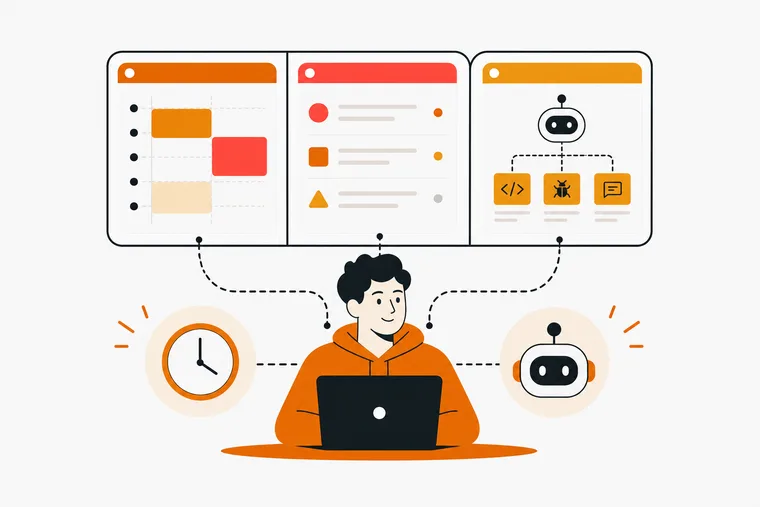
Most comparisons of developer task managers rank tools against each other as if they were competing for the same job. They are not. A sprint board, a personal daily plan and an agent work queue are three different problems, and a tool that is excellent at one is usually mediocre at the others.
The useful question is not which tool is best. It is which layer is currently breaking.
Three layers, not one
Personal. What you are doing today, in what order, with what protected time. Nobody else needs to see it.
Team. Sprint boards, issue to branch continuity, review state, shared visibility. Built for coordination, which is why it is heavier than personal planning needs to be.
Agent. A structured queue a coding agent can read and update on its own, with real statuses and a trail of what it did. This layer barely existed two years ago and most task managers still have nothing for it.
Running all three in one tool sounds efficient and usually is not. Your personal plan does not belong on a sprint board, and your agent should not be able to see either.
Auditing your workflow before you shop
Picking a tool before you know where the friction is produces a third task manager in two years. This takes an afternoon.
- List five to seven repeatable activities where time disappears. As activities, not feelings. "Context switching" is a feeling. "Three app switches per PR review" is an activity.
- Trace the tool path for each. Every app, tab and manual step. The count is the finding.
- Pull a week of real examples. PRs, failed builds, blocked tickets, unplanned work. If the same interruption shows up three times, that is the thing to fix first.
- Test version control integration on your own repo. Can it link an issue to a branch, and update when a PR merges? Anything requiring you to paste ticket numbers by hand is a gap you will be paying for daily.
- Try it without the mouse. Create a task, change its status, move it. If that takes more than ten seconds, the overhead compounds across every session.
What actually matters in a developer task manager
Git and PR integration, for the team layer. Status that updates itself is the difference between a board that reflects reality and a board you maintain.
Keyboard-first navigation. A command palette is the floor. Tools designed for non-technical teams show it immediately in their navigation.
A structured surface for agents. If your task manager cannot expose a queue an agent can read and update, agent work lives in a scratch file, in your head, or in the same list as your own tasks. All three are worse than a dedicated layer.
Boundaries you can reason about. For the agent layer specifically, what the agent can read and what it can change matter more than feature count. An agent that can create tasks will create tasks; one that can delete them can lose work.
Pricing that does not punish growth. Per-seat models quietly tax contractors and part-time contributors. Check current pricing on each tool's own page, since tiers move.
Why the agent layer needs to be separate
The strongest argument for separation is not tidiness. It is that AI assistance is not a free speedup, so you want to see exactly what the agent did.
METR's 2025 randomized trial had 16 experienced open-source developers work 246 real tasks, randomly assigned to allow or forbid AI tools. With AI, they took 19% longer. They had predicted a 24% speedup and, afterwards, still believed they had been 20% faster. The researchers are careful about scope: senior developers in mature codebases they knew well, which may not generalize to unfamiliar or greenfield code.
The transferable lesson is the measurement gap. If agent work is mixed into your personal list, you have no record of what the agent actually did, how long it took, or what it cost. A separate queue with status, a step trail and token cost gives you the data the perception does not.
Where the tools sit
Neutral summaries. Check each tool's own docs and pricing page before committing.
- Linear. Keyboard-first issue tracking with deep GitHub and GitLab integration and strong sprint handling. Ships an official MCP server with agent support, so the team layer and some agent work can live together.
- GitHub Projects. Lives in the repo, so task to PR linkage is as tight as it gets. The web interface is slower to drive than Linear's.
- Jira. Built for large organizations with multi-team coordination and permission requirements. The setup cost is real and worth it only if you need what it does.
- Notion. A workspace you build the system inside, with an official MCP server. Flexible, and the configuration becomes a project of its own.
- Task Master. Repo-native and built specifically around agent workflows rather than human sprint boards. If agent orchestration is your bottleneck, check its docs directly.
None of these is a personal focus tool, which is the layer most solo developers are actually missing.
Dovilo: the personal layer plus a local agent queue
Dovilo covers the personal layer and the agent layer. It is not a team issue tracker and will not replace Linear or GitHub Projects.
The personal side is a to-do list with due dates, repeats, priorities, stars and flags, plus focus sessions: single, Pomodoro at 25 on and 5 off with a longer break every 4 rounds, or bound to one task. Finished tasks and sessions earn bricks you spend on a city that grows from your own work. Nothing decays.
The agent side runs on Dovilo Desktop (Windows and macOS, part of Pro) as a local MCP server, on a monthly quota.
- Nine tools, three read and six write, read and update only. No create tool, no delete tool. The agent moves work forward; it does not invent or destroy it.
- Scoped to one project and its brief. Your personal list is not on the tool surface at all, so there is no filter to misconfigure.
- Real statuses.
queued,running,awaiting-user,done,failed,cancelled. On a consequential decision the agent writes a note and stops atawaiting-userinstead of guessing. - A visible trail. Steps, notes and telemetry including model, tokens, cost and duration, on your phone while the agent runs at your desk.
- Local transport. MCP traffic runs over stdio inside Desktop, with no Dovilo endpoint in the agent's request path. The AI tasks themselves sync to mobile through Pro cloud sync.
- Signed webhooks.
task.createdandtask.status_changedinto Slack, Linear, n8n or any HTTPS receiver, with HMAC-SHA256 signatures. Spec at dovilo.app/docs/webhooks, and an open-source LangGraph demo running the loop end to end.
Claude Code, Claude Desktop, Cursor, Windsurf, Codex CLI and Gemini CLI have presets; any other MCP client connects with a JSON config. Setup takes about 5 minutes: the MCP setup guide.
Free on iOS and Android with unlimited tasks, categories and focus sessions, offline-first and no ads on any tier. Pro is $2.49/month, $19.99/year or $49.99 lifetime, with a 7-day trial started in the mobile app.
What Dovilo does not do
No sprint boards, no shared workspaces, no team features. No git or PR integration. No data export. No remote MCP, so the agent runs on the same machine as Desktop; if your agents run in CI or on a server, that is a blocker today. Export and remote MCP are on the public roadmap.
Running a two-week pilot
Pick three criteria before you install anything. Useful ones: minutes per week spent updating status by hand, context switches per PR review, and whether you still open it on day ten.
Change one thing at a time and run it for two weeks. If it does not move at least two of the three, it is not the tool.
Frequently asked questions
Do developers need a different task manager from everyone else? For the team layer, yes: git and PR integration is the difference between a board that updates itself and one you maintain. For personal planning, a general tool is often fine.
Should my agent and my personal tasks live in the same list? No. You lose the ability to tell what the agent did, and you expose personal items to a process that does not need them.
Are AI coding agents actually faster? Not always. METR's randomized trial found experienced developers took 19% longer in codebases they knew well, while believing they were faster. Measure your own case rather than trusting the feeling.
What should an agent not be allowed to do? Create and delete. Those are decisions with consequences you should be making. Reading and updating is enough for an agent to work a queue.
Can Dovilo replace Linear or Jira? No. It has no sprint boards, no shared workspaces and no team features. It covers the personal layer and the agent layer.
Which clients work with Dovilo's MCP server? Claude Code, Claude Desktop, Cursor, Windsurf, Codex CLI and Gemini CLI have presets, and any other MCP client connects with a JSON config.
Can the agent run on a different machine? Not yet. It must run where Dovilo Desktop runs. Remote MCP is on the roadmap.
Pick the layer that is breaking, then pick the tool. A team tracker will not fix your personal day, a personal app will not run your sprint, and neither will give your agents a queue they can work on their own.
Dovilo covers the personal and agent layers, free on the App Store and Google Play.