Developer Productivity Tools That Cut Context-Switch Costs
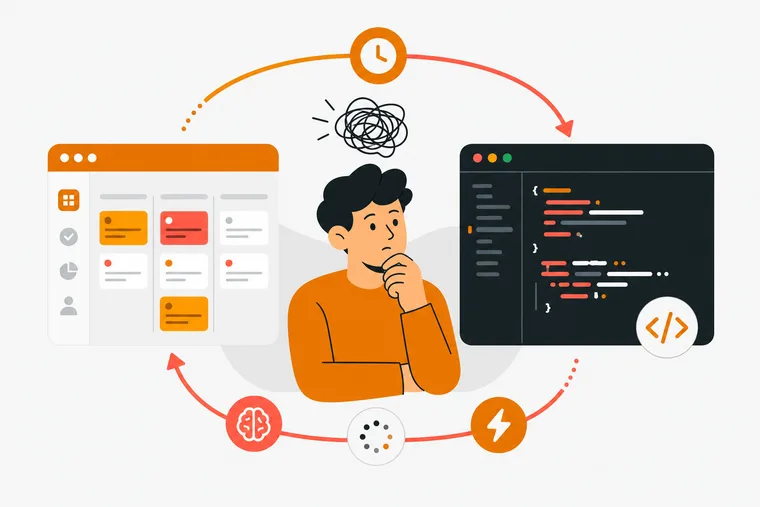
Context switching is one of the most studied and least solved problems in software development. You're deep in a function, a Slack notification pulls you out, and by the time you return, the mental model you had is gone. The right developer productivity tools don't just speed up individual tasks — they reduce the cost of getting interrupted and make it faster to pick up where you left off.
This article covers what the research says about switching costs, which categories of tools actually help, and how to think about your own setup.
Why context switching is expensive for developers
The cost isn't just the time you spend away from the keyboard. It's the time you spend reconstructing the mental model you had before the interruption.
A 2026 study published through zora.uzh.ch found that software developers switch tasks every 3 to 5 minutes on average — a cadence that makes sustained focus on complex problems nearly impossible. The same research, conducted with 55 software developers in a controlled lab setting, found that a task-resumption tool called TaskSnap helped 88% of participants complete both tasks in a session, compared with 60% in the baseline condition. Developers using the tool made their first code edit after returning to a task in 4.81 minutes on average, versus 6.10 minutes without it — a meaningful difference when you're switching several times a day, according to hasel.dev's reporting on the experiment.
A separate replication study on industry developers, published through arxiv.org in its 2020 report, found that context changes shorter than three minutes didn't noticeably affect results, but longer switches made task resumption feel significantly worse. The implication: the problem isn't switching itself — it's the depth of the interruption.
The AI coding assistant paradox
AI coding agents have genuinely changed what's possible for individual developers. Opsera reports that AI reduces time-to-PR by up to 58%, and Code Ninety found that AI coding assistants cut individual PR lead time by 32.4%. Those are real gains.
But the same data reveals a complication. Opsera also found that AI-generated pull requests wait 4.6x longer in review. Code Ninety found that defect injection rates increased by 50% with AI coding assistants. The speed gain at the individual level creates a review bottleneck at the team level, and lower code quality means more back-and-forth — not less.
Halkwinds Research puts the adoption picture in context: 76% of engineering organizations had at least one AI coding assistant deployed org-wide as of 2026, up from 41% in 2024. But only 34% of those organizations could attribute a measurable, audited change in delivery metrics to that deployment. Adoption is nearly universal; proven impact is not.
The tools are fast. The workflow around them often isn't.
Where the actual switching cost lives
Most developer productivity discussions focus on the coding phase. But for developers using AI agents, the switching cost often lives in the handoff — the moment between deciding what to build and getting an agent to start on it.
The typical pattern looks like this: you have a task in a to-do list, you open your AI coding tool, you describe the task again (or paste it in), the agent works, you check back, and you manually update the task. Every step in that sequence is a context switch. The task list and the coding environment are separate surfaces with no shared state.
This is where task-resumption tooling matters more than raw speed metrics. The question isn't only "how fast can the agent write code?" It's also "how much of your attention does the handoff consume?"
Categories of tools that reduce switching costs
Task and project management with structured context
Generic to-do apps work fine for personal lists, but they don't reduce switching costs for developers running AI agents — they just move the list to a different screen.
Tools that actually reduce switching costs tend to share a few traits: they keep context close to the task, they support the structure developers use in practice (priorities, due dates, repeating tasks, flags), and they don't require you to manually re-describe work when you hand it off.
Linear is worth mentioning here. It supports assignable issues for AI agents on every tier including its free plan, and it's built specifically for engineering teams. If you're working in a team context with a defined issue tracker, Linear's agent support fits naturally into that workflow.
For solo developers and indie hackers, the overhead of a full project management tool is often too high. Maintaining a separate issue tracker on top of a personal task list is itself a switching cost.
Focus tools that protect deep work
The research on task switching points to one consistent finding: the longer the interruption, the harder the resumption. Focus tools that create a protected work window — through timers, ambient sound, or Do Not Disturb modes — reduce the frequency of deep interruptions.
Pomodoro-style timers (25 minutes of work, 5 minutes of break) are the most widely used structure for this. They work because they make the cost of an interruption visible: you're breaking a session, not just pausing for a moment. That framing changes how you respond to notifications.
The best focus tools also track what you actually did. Completion rates, streaks, and session logs create a feedback loop that's otherwise invisible in development work.
Ambient environment tools
Noise and environment affect concentration more than most developers account for. A consistent audio environment — white noise, rain sounds, a specific playlist — reduces the cognitive load of filtering out background variation.
On its own, this is a small gain. But it compounds with focus timers. A consistent environment plus a structured session reduces the number of decisions you make during work time, which keeps more of your attention on the task itself.
Webhook and notification routing
A significant source of context switching is notification sprawl. Slack, GitHub, Linear, email, and monitoring tools all compete for attention at once. Routing notifications through a single channel — or suppressing them during focus sessions — is one of the highest-leverage changes a solo developer can make.
Webhooks that route specific events to specific channels (rather than everything to everywhere) let you decide in advance what's worth interrupting a session for. That decision, made once, removes hundreds of small interruptions over time.
How Dovilo fits this picture
Dovilo is a task manager, focus timer, and city-building game in one app. Completed tasks and focus sessions earn bricks, which you spend in the Build market to construct buildings on an isometric grid. The gamification is the motivation layer — your city grows in direct proportion to real work done, making progress visible in a way that a completion percentage doesn't.
For developers specifically, Dovilo Desktop (available on Windows and macOS as part of Pro) runs a local MCP server. This is the part that directly addresses the handoff problem described above.
How the MCP integration works
The MCP integration creates a separate AI task queue — distinct from your personal to-do list, which the agent never sees. You assign tasks to a project with a brief, and the agent reads from that queue, executes tasks step by step, and reports progress back without you manually re-describing the work or updating the list.
Supported agents include Claude Code, Claude Desktop, Cursor, Windsurf, Codex CLI, Gemini CLI, and any MCP client via JSON configuration — plain MCP, no lock-in. The server runs locally inside Dovilo Desktop over stdio. No Dovilo endpoint is involved; only the agent's own model calls leave the machine.
The agent can read and update tasks, but cannot create or delete them. That boundary matters: you stay in control of what's in the queue, and the agent works through it without overwriting your structure.
Webhook integrations with Slack, Linear, and n8n are also available, with the API documented at dovilo.app/docs/webhooks. This lets you route agent progress updates to wherever your team already works. Desktop is part of Pro.
What Dovilo doesn't do yet
Two things worth knowing before you commit: Dovilo doesn't currently support data export, and the MCP server is local only — the agent runs where Dovilo Desktop runs, not on a remote server. Both are on the roadmap. If your workflow requires a cloud-hosted agent endpoint or you need to export your task history, check back or plan around those constraints.
Focus and ambience features
Outside the MCP integration, Dovilo's focus timer supports single sessions, Pomodoro cycles (25-minute work, 5-minute break), and task-bound sessions, with background timer and Do Not Disturb support. The ambience system includes six full-screen scenes — Rainy City, Midnight, Dusk, Snow, Fog, and one additional scene — with a 12-layer sound mixer that blends up to three sounds simultaneously. Five of those six scenes are available in the Focus Ambience Pack.
Progress tracking covers completion rate, daily averages, streaks, and monthly trends. Advanced stats require Pro.
Pricing
Dovilo is free to download on iOS and Android, with tasks and focus sessions available on the free tier. Cloud sync requires Pro. Desktop (Windows and macOS) is Pro only.
Pro is $2.49/month, $19.99/year (approximately $1.67/month, saving 33% compared to the monthly rate paid over 12 months), or $49.99 as a one-time lifetime purchase. A 7-day free trial starts in the mobile app — no charge if you cancel before it ends. AI task packs start at $0.99 per bundle and never expire.
Download for iOS or Android, or grab Dovilo Desktop (Desktop is part of Pro).
Choosing tools based on your actual bottleneck
Before adding another tool, it's worth identifying where your switching cost actually lives.
If your biggest problem is interruptions during coding, a focus timer with Do Not Disturb support addresses that directly. If it's the handoff between your task list and your AI agent, you need a tool that connects those two surfaces. If it's notification sprawl, webhook routing will do more than any productivity app.
The tools that help most are the ones that reduce the number of decisions you make during work time — not the ones with the most features.
Frequently asked questions
What is context switching in software development? Context switching means shifting attention from one task to another. For developers, that typically means moving between coding, communication tools, documentation, and task management. The cost is the time and mental effort required to rebuild the working memory you had before the switch.
How much does context switching slow developers down? A 2026 study published through zora.uzh.ch found that developers switch tasks every 3 to 5 minutes on average. Research published through hasel.dev found that developers without task-resumption support took 6.10 minutes on average to make their first code edit after returning to a task, compared with 4.81 minutes with support.
Do AI coding assistants reduce context-switching costs? They can reduce time spent writing code, but they don't automatically reduce switching costs. The handoff between a task list and an AI agent is itself a context switch. Tools that connect those two surfaces — so the agent reads directly from a task queue — reduce that overhead.
What is an MCP server and why does it matter for developer productivity? MCP (Model Context Protocol) is a standard that lets AI coding agents communicate with external tools. A task manager that runs a local MCP server can expose a task queue directly to an agent like Claude Code or Cursor, so the agent reads, executes, and updates tasks without manual copy-paste or re-description.
Is Dovilo suitable for teams or mainly for solo developers? Dovilo is built primarily for individual developers, indie hackers, and solo founders. The MCP integration targets solo workflows where one person manages both the task list and the AI agent. For team-level issue tracking and agent workflows, Linear's native agent support may be a better fit.
What's the difference between a focus timer and a Pomodoro timer? A focus timer runs for a set duration without a built-in break structure. A Pomodoro timer uses a specific rhythm — typically 25 minutes of work followed by a 5-minute break — repeated in cycles. The Pomodoro structure is more prescriptive and works well for people who benefit from a defined work/rest boundary.
How do I measure whether a developer productivity tool is actually helping? Track the metrics that matter to your workflow: task completion rate, time from task creation to first commit, interruptions per session, and PR lead time. If a tool doesn't move at least one of those numbers over a few weeks of use, it's adding overhead rather than reducing it.
Conclusion
The research is clear: context switching costs developers real time and real focus. The tools that help most aren't the ones with the most features — they're the ones that reduce friction at the specific points where you lose your thread.
For developers running AI coding agents, the handoff between task list and agent is one of the highest-friction points in the day. Addressing that directly, rather than optimizing only for coding speed, is where the next productivity gain tends to be.
If that problem resonates, learn more at dovilo.app.