Best Productivity Apps for Developers and Indie Hackers in 2026
By Selahaddin Akgün
If you're a solo developer or indie hacker running AI coding agents in 2026, the best productivity apps aren't the ones with the most features. They're the ones that don't break your flow.
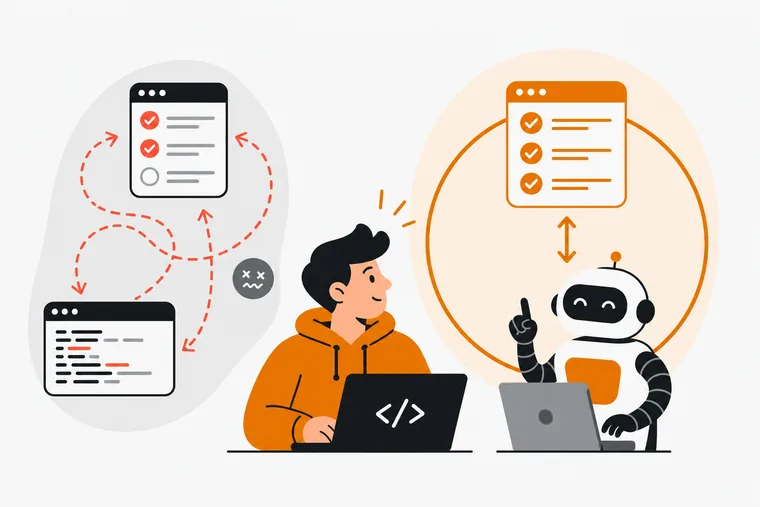
The real problem isn't finding a to-do list. It's that your task list and your coding agent live in completely separate worlds — and every time you switch between them, you lose the thread. The agent finishes something. You go update the task. You come back. Ten minutes gone, and your mental model of where you were has quietly evaporated.
Most productivity apps were built before AI agents became a daily workflow tool. They're fine at storing tasks. They have no idea what Claude Code, Cursor, Windsurf, Codex CLI, or Gemini CLI is doing right now, what it just finished, or what it should pick up next. That gap costs real time and attention.
This list focuses on tools that actually serve the solo dev and indie hacker workflow in 2026, with honest notes on where each one fits and where it doesn't.
The core problem: context-switching kills agent workflows
When you're running an AI coding agent, two things need to stay in sync: what the agent is working on, and what you're tracking as a human. Most setups today look like this — a markdown file or a Notion doc with tasks, a terminal running an agent, and a lot of manual copy-pasting between them.
The tools below each solve a different piece of this. None of them solve everything. Pick based on your actual workflow.
Dovilo: built for the agent-aware developer
Dovilo is the only tool on this list designed specifically around the idea that your coding agent should work from a task queue it can read and update — without touching your personal to-do list.
Here's how it works in practice. The desktop app (Windows and macOS, part of Pro) runs a local MCP server over stdio. Your agent — whether that's Claude Code, Claude Desktop, Cursor, Windsurf, Codex CLI, Gemini CLI, or any MCP client configured via JSON — connects to it and gets 9 tools: 3 read, 6 write. It can read tasks, update status, and log progress. It cannot create tasks or delete them. That constraint is intentional. You stay in control of what goes into the queue.
The agent works from a separate AI task queue scoped to a project. Your personal task list — called My Tasks — is not on the MCP tool surface at all. It never appears. So you can track your own notes, ideas, and personal work without any risk of the agent touching them.
MCP traffic stays local. There's no Dovilo internet endpoint involved. The only external calls are the ones your agent makes to its own model provider. That matters if you're working on anything sensitive, or if you'd simply rather not have your task data routing through a third-party cloud.
On the webhook side (documented at dovilo.app/docs/webhooks), Dovilo fires task.created and task.status_changed events, signed with HMAC-SHA256 and retried up to 5 times. That's enough to wire up Slack notifications, Linear updates, or an n8n automation without writing a polling loop.
The focus side of the app is a full Pomodoro timer — 25-minute work, 5-minute break — with six ambient scenes, five of them in the Focus Ambience Pack. Finished tasks and completed focus sessions earn bricks, which go toward an isometric city you build on a grid. Nothing decays. If you have a quiet week, your city just waits. There's no streak to break, no guilt attached.
Tasks and focus sessions are free and unlimited on iOS and Android, with no ads on any tier. Pro is $2.49/month, $19.99/year, or $49.99 lifetime, with a 7-day trial started in the mobile app. Desktop is part of Pro.
What Dovilo doesn't do yet (as of September 2026): No data export. No remote MCP — the agent runs on the machine where Desktop is installed. Both are on the public roadmap.
Best for: Solo developers and indie hackers running AI coding agents who want the agent working from a real task queue — not a markdown file — with a clear boundary between agent work and personal tasks.
Linear: project tracking with an MCP server
Linear is a project management tool built for software teams, though plenty of solo devs use it. It has a clean keyboard-driven UI, solid GitHub integration, and its own MCP server. Since June 2026 it also executes work: assign an issue to Linear Agent and a coding session runs Claude Code or Codex in a cloud sandbox, then hands back a diff for review.
It's genuinely good at tracking bugs, features, and milestones. Where it's less suited for solo indie hackers is the overhead — concepts like cycles, teams, and triage queues add friction when you're one person. The free tier covers the basics; Basic is $10 per user per month and Business $16, both billed annually (as of September 2026, per Linear's pricing page).
Best for: Developers already using Linear for project management who want agent access to their issue tracker.
Notion: flexible but not agent-native
Notion is the most flexible tool on this list. You can build any task system you want inside it, and it ships an MCP server so agents can read and write to your workspace.
The flexibility is also the friction. You have to build your own task structure from scratch. There's no Pomodoro timer, no focus mode, no ambient sound. And because the agent can access your whole workspace depending on how you configure permissions, the boundary between "agent work" and "my notes" is something you have to manage yourself.
Notion's free tier is generous. Plus is $10/user/month billed annually ($12 monthly) and Business is $20 (as of September 2026).
Best for: Developers who already live in Notion and want to keep everything in one place, and are comfortable managing agent permissions themselves.
Todoist: reliable task management, no agent awareness
Todoist is one of the most polished task managers available — natural language input, recurring tasks, priority levels, clean mobile experience. It's been around long enough to be genuinely reliable.
Doist ships an official MCP server — @doist/todoist-mcp, hosted at ai.todoist.net/mcp, with an official Claude Code plugin — so an agent can read and write Todoist out of the box. The difference is scope. It connects over OAuth to your whole account, so the agent sees every project and every personal task, and it can create and delete them. That is fine if your Todoist is already a work queue. It is a different proposition if your task list is also where the rest of your life lives.
Free tier covers the basics. Pro is $5/month (as of September 2026, per Todoist's pricing page).
Best for: Developers who want a polished, reliable task manager and are comfortable giving an agent access to the whole account.
Obsidian with Tasks plugin: local-first, fully custom
Obsidian is a local markdown editor with a strong plugin ecosystem. The Tasks plugin turns markdown checkboxes into a queryable task system with due dates, recurrence, and filtering — everything living on your file system.
There's no built-in MCP server, but the community has built MCP integrations for Obsidian. Setup requires more configuration than anything else on this list. If you're comfortable with that, the result is a fully local, fully customizable system with no subscription required.
Best for: Developers who want maximum control and are willing to wire things together themselves.
A note on focus tools
A few tools worth naming that focus specifically on the Pomodoro and deep work side rather than task management:
Forest is a focus timer where you grow a virtual tree during sessions. Well-designed, mobile-first feel. No task management, no agent integration.
Be Focused Pro (macOS/iOS) is a clean Pomodoro timer with session logging. Again, no agent integration.
If you want something that combines focus sessions with task management and agent awareness in one app, Dovilo is the only tool on this list that does all three.
How to choose
| Tool | Agent-aware | MCP server | Focus timer | Free tier |
|---|---|---|---|---|
| Dovilo | Yes (local MCP) | Yes, local over stdio | Yes, Pomodoro 25/5 | Yes, tasks and focus, no ads |
| Linear | Partial | Yes | No | Yes (limited) |
| Notion | Partial | Yes | No | Yes |
| Todoist | Yes | Yes (official, hosted) | No | Yes |
| Obsidian + Tasks | Custom | Community plugin | No | Yes |
The right tool depends on what's actually slowing you down. If context-switching between your agent and your task list is the bottleneck, that narrows the list quickly.
Get started with Dovilo
MCP setup is documented at dovilo.app/ai. There's also an open-source LangGraph demo showing a full agent loop at github.com/slhddn/dovilo-langgraph-demo.
Download for iOS: App Store Download for Android: Google Play Desktop (Pro, Windows): Dovilo-Setup.exe Desktop (Pro, macOS): Dovilo.dmg
Frequently asked questions
Does Dovilo's MCP server work with Claude Code and Cursor? Yes. The desktop app runs a local MCP server over stdio. Claude Code, Claude Desktop, Cursor, Windsurf, Codex CLI, Gemini CLI, and any MCP client configured via JSON can connect to it. Desktop is part of Pro ($2.49/month or $49.99 lifetime).
Can the agent see my personal to-do list? No. My Tasks is not on the MCP tool surface at all. The agent only sees the AI task queue for the project it's assigned to. Your personal tasks are invisible to it.
What can the agent actually do with Dovilo's MCP tools? It gets 9 tools: 3 read, 6 write. It can read tasks, update their status, and log progress. It cannot create tasks or delete them. You control what goes into the queue.
Does MCP traffic go through Dovilo's servers? No. The MCP server runs locally inside the desktop app over stdio. There is no Dovilo internet endpoint for MCP. The only external calls are the ones your agent makes to its own model provider.
Is there a free tier? Yes. Tasks and focus sessions (including Pomodoro) are free and unlimited on iOS and Android, with no ads on any tier. Desktop, MCP, webhooks, and cloud sync require Pro.
Does Dovilo support webhook integrations for Slack or Linear?
Yes. Dovilo fires task.created and task.status_changed webhooks, signed with HMAC-SHA256, with up to 5 retries. Documentation is at dovilo.app/docs/webhooks.
Is remote MCP supported? Not yet (as of September 2026). The agent runs on the machine where Desktop is installed. Remote MCP is on the public roadmap.