TickTick Alternative: Which App Fits Your Workflow Better?
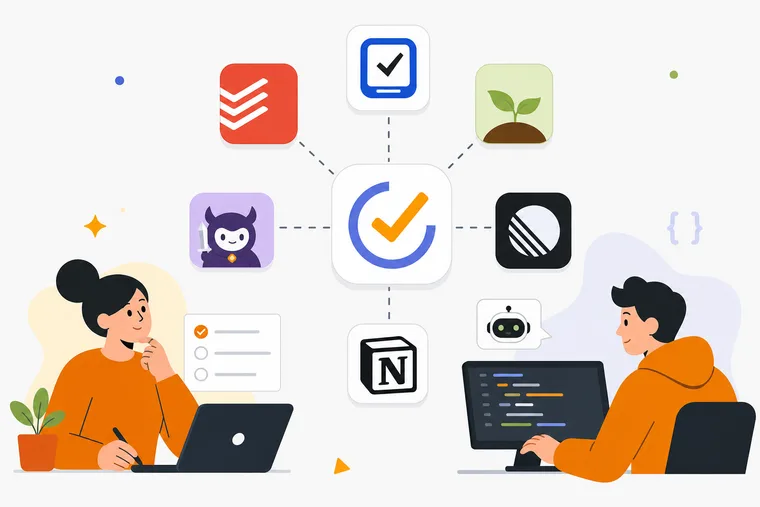
If you're searching for a TickTick alternative, you probably already know what's bothering you. The app works fine — but something about the daily routine feels flat, or a specific gap keeps pulling you toward other tools. This article covers the most relevant alternatives across two distinct use cases: general productivity and focus users who want more motivation built into their workflow, and developers who want their task list to connect directly to an AI coding agent.
Which one describes you? Let's get into it.
Why people leave TickTick
TickTick is a capable, well-designed app. Tasks, calendars, Pomodoro timers, habit tracking — it covers a lot of ground in one interface. For most people, it's genuinely good.
The reasons people look elsewhere tend to fall into a few categories:
- Motivation gap. Completing tasks feels like administration. There's no reward beyond a checkbox.
- Price. TickTick Premium runs around $35.99/year. For solo users, that's worth weighing.
- Developer workflow friction. TickTick has no official MCP server. There is an open API and community MCP servers, but nothing first-party built for coding agents. If you're running Cursor, Claude Code, or Windsurf, your task list and your agent live in completely separate worlds.
- Focus-only needs. Some users want a timer with a light touch, not a full productivity suite.
None of these are complaints about quality. They're about fit. Here's how the main alternatives stack up.
Alternatives for general productivity and focus users
Todoist
Todoist is the most direct TickTick replacement for users who want a clean, reliable task manager. Natural language input, project organization, filters, and labels are all well-executed. The free tier is generous. Pro runs $5/month or $48/year.
What it doesn't offer: a built-in focus timer, any gamification, or anything that makes task completion feel like more than maintenance. If motivation is the problem, Todoist doesn't solve it.
Things 3
Things 3 is Apple-only and sold as a one-time purchase ($49.99 for Mac, $9.99 for iPhone). The design is excellent. The workflow — Areas, Projects, Today, Upcoming — suits people who think in terms of longer-horizon planning rather than daily urgency.
No Pomodoro timer, no gamification, no cross-platform support. If you're on Windows or Android, it's simply not an option.
Forest
Forest is a focus app, not a task manager. You plant a virtual tree when a session starts; it dies if you leave the app. That constraint works well for phone-free deep work.
There's no task list, no progression system beyond tree collection, and no full desktop app beyond browser extensions. If you need task management alongside focus, Forest covers only half the problem.
Habitica
Habitica turns your task list into an RPG. You create a character, complete tasks to earn experience and gold, and spend those rewards on gear and cosmetics. It has a large, active community.
The premium tier is $47.99/year and unlocks cosmetics only — not productivity features. There's no focus timer, no desktop app, and no AI agent integration. Habitica works well for users who respond to RPG mechanics and social accountability. It's less suited to solo developers or anyone who wants a persistent, spatial sense of progress rather than a character sheet.
MainQuest
MainQuest includes a built-in focus timer and uses character stats and loot as rewards for task completion. Several apps ship under this name with different pricing, so check the one you actually download before committing.
No desktop app, no spatial reward mechanic, no MCP integration. The reward loop is character-based rather than world-building-based, which suits some users and not others.
Alternatives for developers running AI coding agents
This is a narrower category, and the options are genuinely different.
Linear
Linear is the standard for AI-native task management in engineering teams. It's fast, well-designed, and deeply integrated with GitHub. Since June 2026 it also executes work: assign an issue to Linear Agent and a coding session runs Claude Code or Codex in a cloud sandbox, then returns a diff for review.
Linear costs $10 to $16 per user per month billed annually, and coding sessions consume separately purchased AI credits. Per-seat pricing, cycles and triage queues all assume a team. Nothing runs on your own machine either — the agent works in Linear's cloud against a repo it has been given access to. For a solo developer with a local checkout and a personal backlog, it's a team tool solving a different problem.
Notion
Notion can be configured as a task manager and supports MCP server connections. For developers already living in Notion who want to wire up an agent, it's a reasonable path. The tradeoff is that Notion is a general-purpose workspace, not a task-first app. Setup overhead is real, and the focus and motivation layers don't exist unless you build them yourself.
Where Dovilo fits
Dovilo sits at the intersection of both audiences above, which makes it unusual in this category.
On the productivity side, every completed task earns in-app currency called bricks. Those bricks go toward constructing and decorating a persistent isometric city. Buildings, streets, and structures accumulate over time as a direct reflection of your real-world output — a spatial, constructive reward loop rather than a character stat or a tree collection. Nothing decays.
On the developer tooling side, Dovilo Desktop runs a local MCP server. That server lets AI coding agents — Claude Code, Claude Desktop, Cursor, Windsurf, Codex CLI, Gemini CLI, and any MCP-compatible client via JSON — read and update tasks from a dedicated AI task queue inside a project. The agent picks up work, executes it, and reports progress back without any manual copy-paste handoff between your task list and your coding tool. Your personal My Tasks list is not on the tool surface and is invisible to the agent; it sees only the AI task queue inside its assigned project.
Core task management
Dovilo covers due dates, priorities, stars, flags, repeats, and reminders. The unified view picker includes My Day, Important, Planned, and Flagged. Tasks and focus sessions — including Pomodoro 25/5 and task-bound timers — are free and unlimited on iOS and Android, with no ads on any tier.
Focus sessions run with background tracking and Do Not Disturb support. The ambience system includes six full-screen scenes and a 12-layer blendable sound mixer. Five of those scenes are in the standalone Focus Ambience Pack, available as a one-time purchase and included with Pro.
Pricing
The free tier covers tasks and focus with no limits and no ads. Pro Monthly is $2.49/month. Pro Yearly is $19.99/year ($1.67/month). Pro Lifetime is a one-time payment of $49.99. A 7-day free Pro trial is available in the mobile app — no charge if you cancel before it ends.
Desktop (Windows and macOS) is part of Pro. That means the MCP server, webhooks, and the desktop app itself all require a Pro plan. Webhooks support Slack, Linear, n8n, and custom services with signed delivery.
What Dovilo doesn't do yet
Worth being direct about the gaps:
- No data export. There's currently no way to export your tasks or history to a file or another app.
- No remote MCP. The MCP server runs locally inside Dovilo Desktop over stdio. The agent runs where Desktop runs. There's no hosted Dovilo endpoint.
- Desktop requires Pro. The 7-day free trial starts in the mobile app; there's no desktop-only trial.
Both data export and remote MCP are on the public roadmap, but neither is available as of September 2026.
Side-by-side comparison
| Feature | TickTick | Habitica | Forest | Dovilo |
|---|---|---|---|---|
| Task management | Yes | Yes | No | Yes |
| Focus timer | Yes (Pomodoro) | No | Yes (only) | Yes (Pomodoro + modes) |
| Gamification | No | RPG/avatar | Tree collection | City builder |
| Desktop app | Yes | No | Browser only | Yes (Pro) |
| MCP / AI agent integration | No | No | No | Yes (Pro, local) |
| Free tier | Limited | Yes | Limited | Yes (tasks + focus, no ads) |
| Price (annual) | ~$35.99/yr | $47.99/yr | Varies | $19.99/yr |
| Lifetime option | No | No | No | $49.99 |
Which alternative should you choose?
Choose Todoist if you want a clean, reliable task manager with no motivation layer and don't need focus timers or gamification.
Choose Things 3 if you're Apple-only and prefer a one-time purchase over a subscription.
Choose Forest if your only goal is phone-free focus sessions and task management isn't part of the picture.
Choose Habitica if RPG mechanics and social accountability are what keep you consistent.
Choose MainQuest if a character-based reward loop sounds appealing and you want something light.
Choose Dovilo if you want task management and focus sessions with a reward system that builds something visible over time — or if you're a solo developer who wants your AI coding agent to pull tasks directly from a queue rather than requiring you to copy-paste context between tools. You can start free on iOS or Android and see whether the city-building mechanic actually changes how you feel about your task list.
Frequently asked questions
Is Dovilo really free to use? Yes. Tasks and focus sessions, including Pomodoro timers, are free and unlimited on iOS and Android with no ads. Pro adds the desktop app, MCP server, webhooks, and the Focus Ambience Pack. A 7-day free Pro trial is available in the mobile app.
Does Dovilo work on Windows and macOS? Yes, but the desktop app is part of Pro — there's no desktop-only free tier. The mobile apps are free on iOS and Android.
What AI coding agents work with Dovilo's MCP server? Claude Code, Claude Desktop, Cursor, Windsurf, Codex CLI, Gemini CLI, and any MCP-compatible client via JSON configuration. Plain MCP, no lock-in. The server runs locally inside Dovilo Desktop over stdio.
Can the AI agent see my personal to-do list? No. The agent only sees the AI task queue inside its assigned project. Your personal My Tasks list is not on the tool surface and is invisible to the agent.
How does the city builder work? Every completed task earns bricks. You spend them in the Build market to place buildings and decorations in your isometric city. Nothing decays — the city grows persistently as you complete real work.
What's missing from Dovilo compared to TickTick? TickTick has a calendar view, habit tracking, and data export. Dovilo doesn't have any of those yet. Data export is on the roadmap. If calendar integration or habit tracking are requirements, TickTick or Todoist are better fits for now.
The bottom line
TickTick is a solid app. The alternatives above each serve a specific need: Todoist for simplicity, Things 3 for Apple users, Forest for phone-free focus, Habitica for RPG motivation, MainQuest for a lighter RPG loop.
Dovilo makes sense if you want motivation built into the structure of the app itself — a city that grows with your work — or if you're a solo developer who wants AI agents to execute tasks without breaking your flow. The free tier on mobile is a genuine starting point, not a stripped demo. Try it and see whether the city changes anything.