Habitica Alternative: 6 Gamified Apps Ranked for 2026
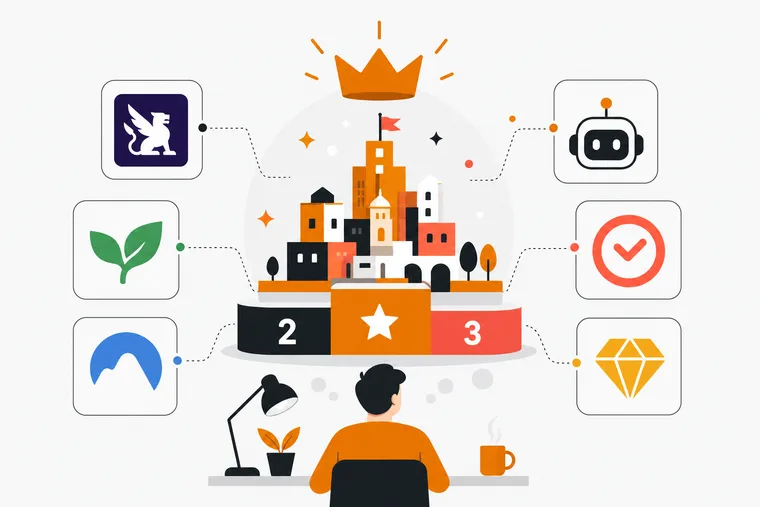
Habitica has a loyal following, but it's not the right fit for everyone. Maybe the 8-bit RPG aesthetic feels dated. Maybe you want a native desktop app, a built-in focus timer, or a reward system that feels more tangible than gold and gear. Whatever's driving the search, the gamified productivity space has grown considerably, and there are several strong options heading into 2026.
This article ranks six alternatives based on how well they replace or improve on what Habitica offers: task management depth, reward loop design, focus session support, and platform availability. Each app has a different strength, so the right pick depends on what's actually missing from your current setup.
What Makes a Good Habitica Alternative?
Habitica's core loop is habit tracking and task management wrapped in an RPG combat system. You earn gold and experience by completing tasks, then spend it on gear and pets. The social layer — guilds, party quests — is a genuine draw for some users.
A good alternative should offer at least one meaningful improvement:
- A more modern or immersive reward system
- Native desktop support (Habitica is browser-only on desktop)
- A built-in focus or Pomodoro timer
- Better task structure with priorities, due dates, and reminders
- A reward economy that feels earned rather than abstract
With that in mind, here are six apps worth considering.
1. Dovilo: Best for Developers and Focus-Driven Work
Dovilo is the most structurally different option on this list. Instead of an RPG combat loop, it runs on a city-building reward economy. Complete tasks and focus sessions, earn in-app currency called bricks, and spend those bricks for buildings, decorations, and upgrades that expand a personal isometric city.
The city is persistent. It doesn't reset when you miss a day or break a streak. Every building you place stays there, which makes progress feel genuinely cumulative rather than fragile.
Task Management
Dovilo's task manager supports due dates, priorities, stars, flags, and reminders. It's a full to-do system, not a stripped-down habit tracker. You can organize work the way you actually think about it — not just as a list of daily habits.
Focus Sessions
This is where Dovilo separates itself from every other app on this list. Three focus session modes are available: single session, Pomodoro cycle, and task-bound session. The Pro tier adds a Focus Ambience Pack with five full-screen ambient scenes and a 12-layer sound mixer that lets you blend up to three sounds at once. If you've ever wanted a Pomodoro timer paired with a proper ambient sound setup.
Developer-Specific Features
Dovilo Desktop ships a local MCP server that exposes a separate AI task queue — one per project, with a brief the agent reads first. Claude Code, Claude Desktop, Cursor, Windsurf, Codex CLI and Gemini CLI connect to it and work from that queue. Your personal list is not on the tool surface at all: the agent cannot see it, and there is no create or delete tool, so it cannot add or remove tasks anywhere.
Signed webhooks also support Slack, Linear, and n8n, which makes it practical for solo founders who want their task system wired into the rest of their workflow.
Pricing
Dovilo is free to download on iOS and Android, with tasks and focus sessions unlimited and no ads on any tier. Pro is $2.49/month, $19.99/year or $49.99 lifetime, and starts with a 7-day trial you begin in the mobile app; it includes the Windows and macOS desktop app, the MCP server and both content packs. The Focus Ambience Pack and the Full City Package are $4.99 each as one-time purchases. What Dovilo does not have yet, as of September 2026: data export, and remote MCP — the agent runs where Desktop runs. Both are on the public roadmap.
Who It's For
Developers, indie hackers, and solo founders who want a task manager that connects to their AI coding tools and rewards focused work with something more tangible than XP. Also a strong pick for anyone who wants a Pomodoro timer and ambient sound in the same app as their to-do list.
2. Forest: Best for Distraction-Free Focus Sessions
Forest is the most downloaded focus app in this category. The mechanic is simple: plant a virtual tree when you start a session, and it grows as long as you stay off your phone. Leave the app and the tree dies.
The forest you build over time is visually satisfying, and ambient sound is included in the free tier. It's genuinely effective for building phone-off focus habits.
The limitations are real, though. Forest has no task management — you'll need a separate to-do app, which means context-switching every time you want to know what to work on next. The reward system is passive; your forest grows on its own, but you can't construct or customize it. There's no spendable economy.
Forest works well as a focus companion, but it's not a Habitica replacement in any meaningful sense. It solves a different problem.
Who It's For
Users whose main issue is phone distraction during work, and who already have a task management system they're happy with.
3. BeeDone: Best for ADHD and Apple Users
BeeDone is built specifically for neurodivergent users, particularly those with ADHD. Its standout feature is Task Roulette, which randomly selects a task when decision fatigue kicks in. AI coaching helps with task framing and prioritization.
The reward system uses XP, gems, and badges — abstract rather than visual, which works for some users but may feel thin compared to a city you can actually see growing.
Who It's For
iPhone and iPad users who struggle with task initiation and want AI-assisted prioritization. Not a strong fit for cross-platform workflows.
4. MainQuest: Best Free Option with RPG Depth
MainQuest offers deep RPG-style progression — character leveling, quests, a built-in focus timer — with a free tier. If Habitica's RPG loop is what you love and you just want more of it without paying, this is worth a look.
The trade-off is complexity. The system can feel overwhelming for users who just want to get things done without managing a character build. There's no city or world-building element, so visual progress is tied to character stats rather than something you construct.
It's a strong free option for users genuinely invested in RPG mechanics, but it's not designed for the developer or productivity-first audience.
Who It's For
Users who want Habitica-style RPG progression with a built-in focus timer and no subscription cost.
5. Finch: Best for Wellness-Oriented Users
Finch uses a virtual pet bird as its central mechanic. Complete goals and self-care tasks to help your Finch grow and go on journeys. The focus is explicitly on emotional wellbeing and self-compassion rather than output or productivity.
It's a genuinely warm app with a loyal user base, but it's not a productivity tool in the traditional sense. If you're leaving Habitica because you want better task management or a stronger focus system, Finch won't fill that gap. It's oriented toward mental health check-ins and gentle goal-setting.
Who It's For
Users who want a wellness companion with light goal-tracking — not a task manager or focus timer replacement.
6. Todoist: Best Pure Task Manager
Todoist is the most capable task manager on this list, with a feature set that covers everything from simple to-do lists to complex project management with filters, labels, and integrations. As of September 2026 it also ships an official hosted MCP server, so agents can work your Todoist tasks — with no separation between those and your personal ones.
What it doesn't have is any gamification. No reward loop, no focus timer, no ambient sound, no visual progress system. It's a clean, powerful organizer for people who find gamification distracting rather than motivating.
If you're leaving Habitica because the RPG layer feels like noise and you just want a reliable task manager, Todoist is the obvious choice. If you're leaving because you want more reward and engagement — not less — it's the wrong direction.
Who It's For
Users who want serious task management without any gamification layer.
How These Six Apps Compare
| App | Task Management | Focus Timer | Reward System | Desktop App | Free Tier |
|---|---|---|---|---|---|
| Dovilo | Full (priorities, due dates, reminders) | Yes (Pomodoro + ambient sound) | City-building with spendable bricks | Yes (Windows + macOS) | Yes |
| Forest | None | Yes (phone-lock mechanic) | Passive forest growth | No | Yes |
| BeeDone | Yes (with AI coaching) | Limited | XP, gems, badges | No | Yes |
| MainQuest | Yes | Yes | RPG character progression | Limited | Yes |
| Finch | Light (wellness goals) | No | Virtual pet growth | No | Yes |
| Todoist | Full | No | None | Yes | Yes |
Which Habitica Alternative Should You Pick?
The honest answer depends on what you actually want to replace.
If the RPG combat loop was the part you liked and you want more of it, MainQuest is the closest match — and it's free.
If you want a reward system that feels more visual and permanent than abstract XP, Dovilo's city-building economy is the most distinct option available. The city grows with every task you complete and every focus session you finish. Nothing resets.
If focus sessions were the missing piece in your Habitica setup, Forest handles phone-off focus well, but you'll need a separate task manager alongside it. Dovilo handles both in one app — Pomodoro mode, ambient sound mixing, and a full to-do system under one roof.
If you're a developer using AI coding agents, Dovilo's MCP integration is worth evaluating on its own merits. Having Claude Code or Cursor work a task queue you wrote for them, separate from your own list, is a different way to run the day — worth a try if you already have an agent open all afternoon.
FAQs
Is there a Habitica alternative with a native desktop app? Yes. Dovilo has native apps for Windows and macOS, which Habitica does not. Todoist also has desktop apps, though without any gamification. MainQuest has limited desktop support.
Which Habitica alternative is best for developers? Dovilo is the strongest option. Its desktop app includes a local MCP server that gives Claude Code, Cursor or Windsurf their own task queue, separate from your personal list, on your own machine.
Do any of these apps have a Pomodoro timer built in? Dovilo, Forest, and MainQuest all include focus timers. Dovilo's is the most fully featured, with three session modes and an ambient sound mixer. Forest's timer is phone-lock focused. MainQuest includes a basic focus timer alongside its RPG system.
What's the best Habitica alternative for ADHD? BeeDone is designed specifically for ADHD and neurodivergent users, with Task Roulette to reduce decision fatigue and AI coaching for task framing. It's primarily an Apple ecosystem app, so Android users have limited options there.
Which of these apps has the most tangible reward system? Dovilo's city-building economy is the most visually persistent. You earn bricks by completing tasks and focus sessions, then spend them on buildings and decorations that stay in your city permanently. Unlike streak counters or XP bars, nothing resets.
Are any of these apps completely free? All six have free tiers or free access. Dovilo, Forest, BeeDone, Finch, and Todoist all offer free tiers with optional paid upgrades. Dovilo's Pro tier includes a 7-day free trial.
Can I use more than one of these apps together? Yes, and some combinations make sense. Forest pairs well with Todoist if you want phone-off focus sessions alongside a serious task manager. That said, running two apps for what one could handle adds friction. If you want task management, focus sessions, and a reward loop in a single place, Dovilo is the option on this list that covers all three.
The gamified productivity space has more depth than it did a few years ago. Habitica remains a solid choice for users who love its social layer and RPG aesthetic — but if those aren't the parts that matter to you, there's a more focused alternative for almost every use case. Start with what you actually want the app to do, and the right pick becomes straightforward.