Best Gamified Productivity Apps in 2026 (Ranked & Reviewed)
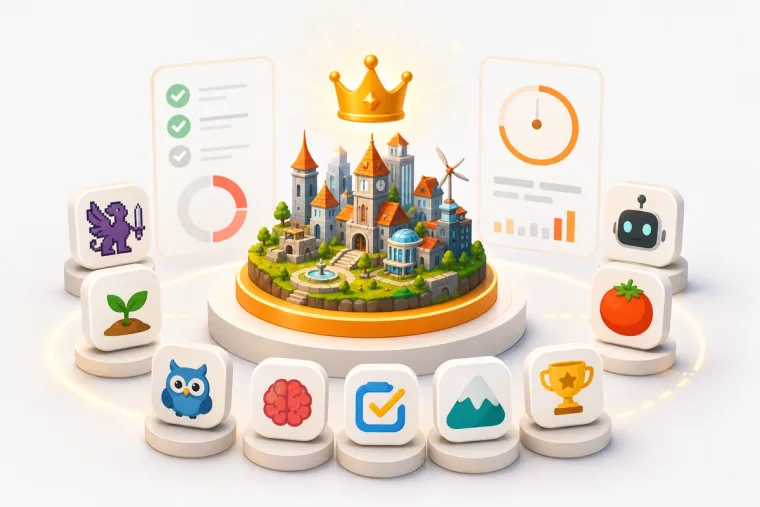
If you've ever opened a plain to-do list, stared at it for three seconds, and closed it again — you're not alone. Gamified productivity apps solve that exact problem by wrapping real work inside reward loops, visual progress, and the same psychological hooks that make games so hard to put down. In 2026, the category has matured well past novelty, and the best options now span everything from RPG-style habit trackers to AI-agent-connected task systems that build virtual cities as you work.
This guide ranks and reviews the top gamified productivity apps available right now, covering what each one does well, where it falls short, and who it's actually built for.
What Makes a Gamified Productivity App Worth Using?
Not every app that slaps a badge on a completed task deserves to be called gamified. The best ones share a few qualities:
- A meaningful reward loop. Completing work should produce something you actually want — coins, progress, visual change, or character growth.
- Depth beyond the first week. Novelty fades fast. Good gamification has enough layers to stay interesting over months.
- Genuine task management underneath. The game mechanics should sit on top of a functional to-do or focus system, not replace it.
- A reason to come back daily. Streaks, unlockables, and persistent worlds all help.
With those criteria in mind, here's how the leading apps stack up.
1. Dovilo — Best Overall for 2026
Best for: Productivity seekers who want a persistent visual world, and developers who use AI coding agents daily.
Platforms: iOS, Android, Windows, macOS
Pricing: Free tier available; Pro is $2.49/month, $19.99/year or $49.99 lifetime, with a 7-day trial that starts in the mobile app
Dovilo is the most distinctive entry in this category in 2026. It combines a smart task manager, a Pomodoro-style focus timer, and an isometric city builder into one cohesive app. Every task you complete and every focus session you finish earns bricks, which you spend on buildings and decorations in a virtual city that grows alongside your actual work output.
The city-builder metaphor is what separates Dovilo from the crowd. You're not collecting loot for an RPG character or watching a plant grow — you're constructing a skyline that reflects months of real work. It's calm, design-forward, and satisfying in a way that retro pixel RPGs aren't for everyone.
What makes Dovilo stand out
The free tier is genuinely useful. You get full to-do management, unlimited focus sessions, basic city building, dark and light themes, and no ads. That's a strong foundation before you spend anything.
The Pro tier adds a local MCP (Model Context Protocol) server on the desktop app. Claude Code, Claude Desktop, Cursor, Windsurf, Codex CLI, Gemini CLI or any MCP client connects to it and works a separate AI task queue inside a project, step by step, while you follow along from your phone. My Tasks, your personal list, is not on the tool surface at all. The nine tools are read and update only: an agent cannot create or delete tasks. Your mobile view shows agent notes, token usage and cost per task in real time.
For developers who already run AI agents daily, this is a fundamentally different value proposition than anything Habitica or BeeDone offers. Your task list becomes the control surface for your AI workflow, not just a reminder system.
Pro also includes cloud sync across devices, all buildings and decorations, advanced statistics, custom themes, and priority support. It is $19.99/year — about $1.67/month, a third off monthly — or $49.99 once for lifetime access.
Where Dovilo could improve
The app is relatively new, so the city-builder content library will grow over time. Users who want deep social features or party-based accountability (Habitica's strength) won't find that here yet. There is also no data export and no remote MCP as of September 2026 — the agent has to run on the machine where Desktop is installed. Both are on the public roadmap.
Verdict: The most complete gamified productivity app in 2026 for users who want a beautiful persistent world and, for developers, a task system that connects directly to their AI toolchain.
2. Habitica — Best for Deep RPG Gamification
Best for: Users who want the deepest gamification system and community accountability.
Platforms: iOS, Android, Web
Pricing: Free; optional subscription from $4.99/month or $47.99/year
Habitica has been in this category longer than almost anyone, and it shows. Your tasks, habits, and dailies all feed into an RPG character that gains levels, collects gear, and joins parties with other users. The social layer is genuinely strong — guilds, party quests, and accountability groups give Habitica a community feel that most competitors haven't matched.
The gamification is deep. There are pets, mounts, seasonal events, and enough progression layers to stay interesting for years. For ADHD users who need external motivation structures, Habitica's system is well-documented and widely recommended.
The tradeoffs are real, though. The visual style is retro pixel art, which won't appeal to everyone. The focus timer isn't a core feature. There's no persistent world you're building — the reward is character progression and loot, not a growing environment. And there's no MCP or agent-execution layer for developers.
Verdict: The strongest choice if community accountability and deep RPG mechanics are your priority. Less suitable if you want modern aesthetics, a focus-first workflow, or AI agent integration.
3. BeeDone — Best for AI Coaching on Mobile
Best for: Mobile-first users who want AI-powered motivation alongside gamified tasks.
Platforms: iOS, Android
Pricing: Free to start; in-app purchases (specific pricing not clearly public)
BeeDone takes a modern approach to gamified productivity, combining task management, XP systems, deep-work timers, and AI coaching in a mobile-first package. It's explicitly designed for procrastination and decision paralysis, and the AI coaching layer adds a dimension that pure gamification apps lack.
The app targets ADHD and neurodivergent users well, with features designed to reduce friction at the moment you're most likely to avoid starting. The visual design is cleaner than Habitica's.
Where BeeDone falls short is in the depth of its world. The reward system feels like an overlay on a to-do app rather than a persistent environment you're genuinely building. Pricing transparency is also weaker than it should be — it's hard to know what you're paying before you're inside the app. There's no city-builder metaphor and no MCP integration for developers.
Verdict: A solid option for mobile-focused users who want AI coaching woven into their gamified workflow. Less compelling for those who want a distinctive visual world or desktop agent connectivity.
4. Forest — Best Single-Focus Timer App
Best for: Users who want a simple, proven focus mechanic with real-world impact.
Platforms: iOS, Android, Chrome extension
Pricing: Free with in-app purchases
Forest is one of the most recognized apps in the focus-timer space, and for good reason. You plant a virtual tree when you start a focus session; if you leave the app, the tree dies. Finish the session and your forest grows. The app also partners with Trees for the Future to plant real trees, which adds genuine meaning to the mechanic.
The simplicity is both Forest's strength and its ceiling. It does one thing extremely well and doesn't try to do much else. There's no full task management system, no persistent world beyond your growing forest, and no AI layer. If you want a focus timer with light gamification and a clear conscience about your screen time, Forest is excellent. If you want a complete productivity system with deeper rewards, you'll outgrow it.
Verdict: The best standalone focus timer with gamification. Not a full productivity system, but a benchmark for how simple mechanics can create genuine daily habits.
5. MainQuest — Best for Quest-Framed Task Management
Best for: Users who strongly dislike traditional to-do lists and respond better to game framing.
Platforms: iOS, Android
Pricing: Free to start; specific pricing not public
MainQuest reframes your entire task list as a quest log. Tasks become missions, you earn XP, your character grows, and the whole experience is designed to make productivity feel less like a chore. The messaging is clear and the anti-checklist positioning resonates with users who've bounced off every standard productivity app.
The app is more character-centric than world-building-centric, which makes it feel closer to Habitica than to Dovilo. There's less evidence of deep focus-timer functionality or an AI integration layer. Pricing opacity is a real friction point for anyone trying to evaluate value before committing.
Verdict: A good fit for users who need game framing to engage with their tasks at all. Less suitable for users who want a full ecosystem or developer workflow integration.
6. Focus Plant — Best for Collectible Focus Rewards
Best for: Users who want a focus timer tied to a growing virtual garden with collectible elements.
Platforms: iOS, Android
Pricing: Free with in-app purchases
Focus Plant sits closer to Dovilo's reward loop than Forest does, because it converts focus time into resources that grow a virtual environment. You collect plants, manage a garden, and the app includes distraction-blocking features to keep you on task.
The scope is narrower than it looks, though. Focus Plant is primarily a focus timer and plant collection game rather than a full task management system. There's no integrated to-do layer, no desktop app, and no AI connectivity. If you want a visually satisfying focus reward that goes slightly deeper than Forest, Focus Plant delivers. If you want task orchestration alongside the rewards, you'll need something else.
Verdict: A pleasant middle ground between Forest's simplicity and a full gamified productivity suite. Best as a focus companion rather than a primary task system.
7. LifeAt — Best for Ambient Workspace Aesthetics
Best for: Users who want a beautiful digital workspace environment with light planning tools.
Platforms: Web
Pricing: Free tier; Pro at $8/month billed yearly or $12/month billed monthly
LifeAt creates ambient virtual spaces — think cozy rooms, cafes, or nature scenes — that you work inside. It includes a planner, calendar, and focus timer, all wrapped in a visually appealing environment. The mood it creates is genuinely pleasant.
The distinction worth making: LifeAt is about workspace aesthetics rather than a reward economy. You're not earning anything or building anything based on your output. The environment is static and decorative rather than dynamic and responsive to your work. That makes it more of a focus environment than a gamified productivity app in the traditional sense.
Verdict: Strong for users who want their workspace to feel nicer. Not the right choice if you want your environment to respond to and reward your actual output.
8. Amazing Marvin — Best for Customizable Workflow Depth
Best for: Productivity enthusiasts and ADHD users who need extreme workflow flexibility.
Platforms: Web, iOS, Android, Desktop
Pricing: $8/month billed yearly ($96/year)
Amazing Marvin is one of the most customizable task managers available. It supports dozens of anti-procrastination strategies, flexible scheduling systems, and deep workflow configuration that most apps don't come close to matching. For users who've tried every productivity system and found them all too rigid, Marvin is often the answer.
The gamification angle is thin, though. There are some reward elements, but the experience is fundamentally functional rather than playful. There's no persistent visual world, no meaningful game loop, and the interface prioritizes power over delight. If you're here because you want gamification, Marvin probably isn't your app.
Verdict: Exceptional for workflow depth and customization. Not a gamified productivity app in any meaningful sense — it's a serious planning tool.
9. Finch — Best for Gentle, Emotional Gamification
Best for: Users who want a low-pressure, wellness-oriented progression system.
Platforms: iOS, Android
Pricing: Free with in-app purchases
Finch is a self-care pet app where a small bird grows as you complete habits and check-ins. The emotional tone is deliberately gentle and guilt-free, which makes it approachable for users who find harder gamification systems stressful. It has strong mainstream appeal and genuinely positive user sentiment.
The tradeoff is scope. Finch is oriented toward mental wellness and self-care rather than task execution or work productivity. There's no focus timer depth, no desktop app, and no developer workflow integration. It proves that emotionally resonant gamification works — but it's solving a different problem than most users searching for productivity apps need solved.
Verdict: Excellent for its intended use case of gentle habit-building and self-care. Not the right tool if you need a serious work productivity system.
How the Apps Compare at a Glance
| App | Task Management | Focus Timer | Visual World | AI/MCP | Free Tier |
|---|---|---|---|---|---|
| Dovilo | Full | Pomodoro | City builder | Yes (Pro) | Yes |
| Habitica | Full | Basic | RPG character | No | Yes |
| BeeDone | Full | Deep work | Overlays | AI coaching | Yes |
| Forest | None | Core feature | Forest | No | Yes |
| MainQuest | Full | Limited | Character | No | Yes |
| Focus Plant | None | Core feature | Garden | No | Yes |
| LifeAt | Light | Basic | Static spaces | No | Yes |
| Amazing Marvin | Full | Basic | None | No | No |
| Finch | Habits only | None | Pet | No | Yes |
Which Gamified Productivity App Should You Choose?
The right app depends on what's actually blocking you.
If you want task management, focus sessions, visual world-building and AI agent integration in one app, Dovilo is the closest fit in 2026: an agent-only MCP task queue that runs locally, alongside a persistent city that grows from work you finished.
If community accountability and deep RPG mechanics matter most, Habitica is the proven option. If you just need a clean focus timer with a satisfying mechanic, Forest still delivers. And if you're an ADHD user who wants AI coaching on mobile, BeeDone is worth trying.
Most of these apps have free tiers, so the practical advice is to try the one that fits your primary use case and see whether the reward loop keeps you coming back after the first week. That's the real test of any gamification system.
Frequently Asked Questions
What is a gamified productivity app? A gamified productivity app uses game mechanics — points, rewards, visual progression, unlockables, or narrative framing — to make completing tasks and maintaining focus more motivating. The goal is to create an intrinsic reward loop that keeps you returning to your work system consistently.
Is Dovilo free to use? Yes. Dovilo has a free tier that includes full to-do management, unlimited focus sessions, basic city building, dark and light themes, and no ads. Pro plans add cloud sync, the desktop app, MCP/AI agent integration, all buildings and decorations, advanced statistics, and custom themes.
What is the best Habitica alternative in 2026? Dovilo is the strongest Habitica alternative for users who want a modern visual world rather than a retro RPG aesthetic, or for developers who want their task list connected to AI agents. BeeDone is a good alternative for mobile-first users who want AI coaching. MainQuest works well for users who want quest framing over RPG mechanics.
What does MCP mean in a productivity app? MCP stands for Model Context Protocol, a standard that lets AI agents communicate with external tools and services. In Dovilo's case, the local MCP server on the desktop app lets agents such as Claude Code, Cursor or Gemini CLI read and update AI tasks step by step — never the personal list — with the user monitoring progress from their phone.
Can gamified productivity apps help with ADHD? Many users with ADHD report that gamified apps help significantly with task initiation and follow-through, because the reward loop provides immediate feedback that plain to-do lists don't. Habitica and BeeDone are both frequently discussed in that context. Dovilo makes no ADHD claim of its own.
Is Forest still worth using in 2026? Forest remains excellent as a standalone focus timer with a satisfying mechanic and a real-world impact through tree planting. It's not a full task management system, so users who need more than a focus timer will likely want to pair it with another app or switch to something like Dovilo that includes both.
Which gamified productivity app is best for developers? Dovilo is the option here built around AI coding agents. Its Pro tier runs a local MCP server, gives agents their own task queue with your personal list off the tool surface, and shows their notes, tokens and cost on your phone. Task managers outside this category, such as Todoist, Linear and Notion, also ship MCP servers.
The gamified productivity space in 2026 has real options at every level of complexity. Start with the app that matches where you are right now, not where you think you should be. A city that grows from your actual work is more motivating than a perfect system you never open.